In 2026, more companies are using AI for business tasks. In McKinsey’s 2025 global survey, 88% of respondents said their organizations regularly used AI in at least one business function. Source: McKinsey
If you’ve been looking for an AI agent for work, or comparing the best AI agents for business, you’ve probably noticed just how many options there are. Their product pages all sound similar. Almost every tool promises to research, connect to your apps, and get work done automatically.
I kept running into the same problem while comparing them. Several seemed capable of doing the same job. But which are the best AI agents for small business, and which are better suited to larger teams? That was much harder to tell.
I’ve spent the past year building Offloop with my team—a platform where people and AI agents work together. I spend around $500–$1,000 a month trying different AI products, including AI tools for business, and I’ve put a lot of time into researching them too.
I’ve picked 11 of the best AI agents for business, drawing on my own experience and what we’ve learned while building Offloop. Whether you’re looking for AI agents for small business or tools for a larger team, here are my top four picks:
- For everyday work, I recommend Claude. It’s versatile and easy to work with. If you’re comparing the best AI agents for small business, it’s my first recommendation.
- For team collaboration, I recommend Offloop. We built it as an AI team workspace where people and agents work together. We use it to run our own company.
- For AI workflow automation, I’d choose Zapier. If you need a traditional workflow tool, it’s one I’ve used and had a good experience with.
- For AI lead generation, I recommend Clay. It’s one of my favorite AI agents for sales, and I’ve found many of our customers through it. Its data quality and precise filtering are what I like most.
Below, I’ll explain who each tool is for, which features are worth paying for, and the drawbacks to know before you subscribe.
Best AI agents for business: which one should you use for everyday work?
ChatGPT, Claude, and Gemini are all worth considering if you’re comparing AI agents for work. For presentations, messages, and emails, any of them can usually do the job.
If I had to choose just one for my everyday work, I’d pick Claude. It handles a wide range of tasks well, from customer communication and data analysis to writing and design. It also feels more like a colleague who understands what I’m trying to do. Often, a short explanation is enough to get a high-quality result.
When comparing these products, I focus on three differences:
- How they perform in everyday work. ChatGPT is excellent at backend coding, and it’s my first choice for that kind of work. But its frontend designs often disappoint me, and I need to be specific about what I want. I use Claude AI for writing, frontend design, and coding, and it’s strong at almost everything I ask it to do. It also understands what I mean without needing every detail explained.
- What the team and enterprise plans offer. If you’re choosing AI agents for teams, there’s more to consider than the features and usage limits of a personal account. You’ll also want to know how colleagues share agents and access existing company files.
ChatGPT Business lets you save instructions, files, and tools in a Workspace Agent and share it with your team. Claude Team includes Projects, Claude Code, and Cowork. Before buying, check that the plan’s data handling terms meet your company’s requirements. ChatGPT Workspace Agents · Claude AI integrations and Team features
- Pricing and usage limits. ChatGPT Business and Claude Team both start at $20 per person per month, billed annually, with a minimum of two seats. But they handle usage differently. Claude’s limits apply to each person, so you can’t pass unused capacity from one colleague to another. ChatGPT Business lets you pay for eligible additional usage with workspace credits. ChatGPT Business plan pricing · Claude AI Team plan pricing

Claude: my top pick for everyday business tasks
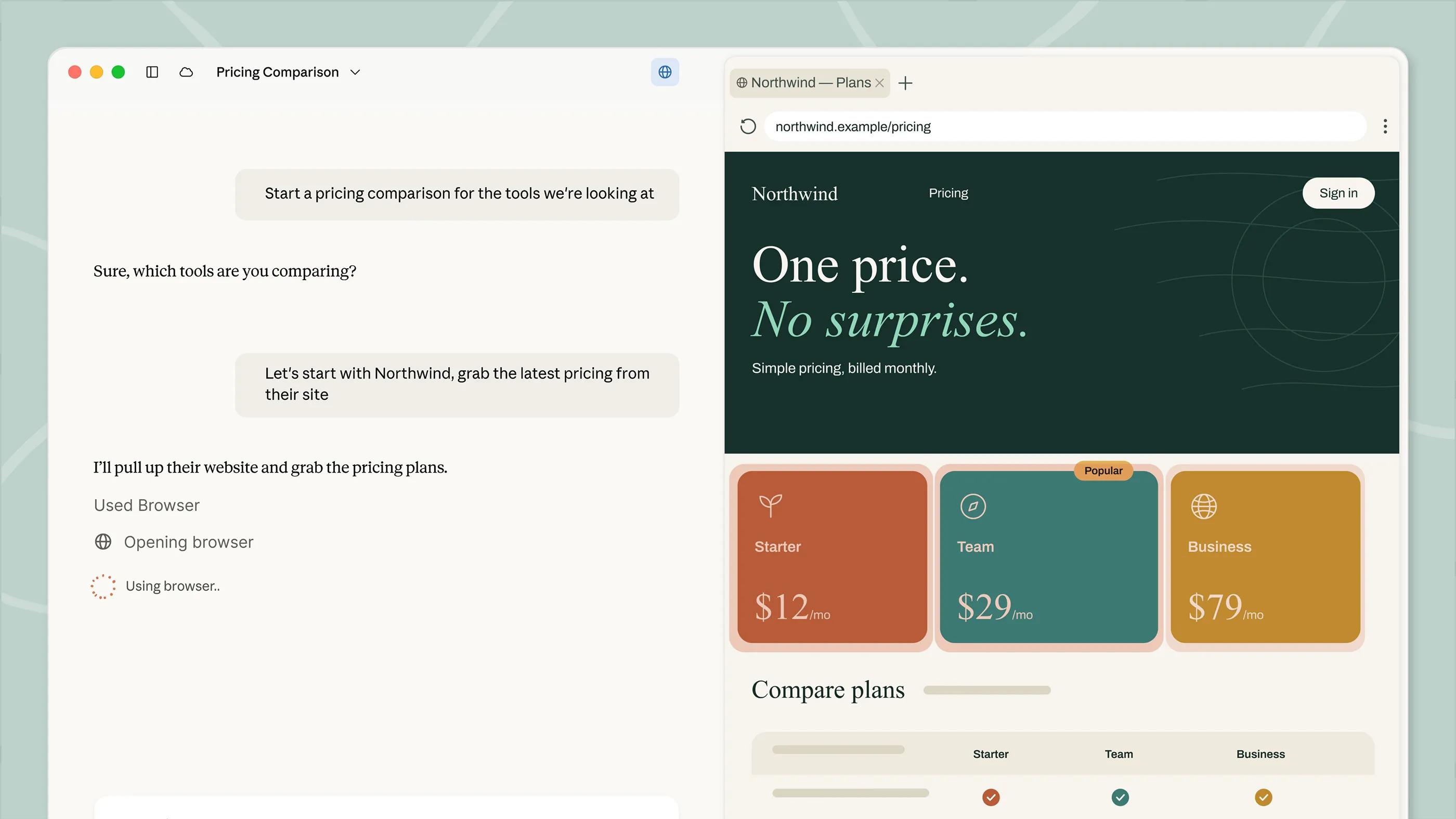
What impresses me about Claude is how much it knows and how well it puts that knowledge to work.
- Best for
- Everyday business work, especially customer replies and tasks where a short instruction needs to produce a natural result.
- Pricing
- Claude Team Standard costs $20 per person per month, billed annually, or $25 per person on monthly billing, with a minimum of two seats.
Pros
- Understands my goal from a short instruction.
- Natural customer replies that usually need little editing.
- Useful across writing, design, data analysis, and code.
Cons
- Per-person usage limits can constrain heavier work.
- Heavy users may need a plan with higher limits.
It can often understand my goal, look through the available information, and work through the task. It feels like having an AI employee on the team—someone who understands the goal and can work through everyday tasks. Important results still need a human review, but for many tasks, the work it produces is close to what I’d expect from a colleague.
AI agents for customer support: handling a return request
One reason Claude makes my list of the best AI agents for business is how well it handles customer support emails. Say a customer emails because an item doesn’t fit and they want to return it. You can copy the email into Claude without giving it a long explanation. With the relevant systems connected and access granted, it can read the customer’s message, look up the order details and return policy, and draft a short, natural reply.
In my day-to-day use, I rarely have to explain every detail. Claude usually understands what I need and what I’m trying to achieve. If I’m not happy with a reply, a quick explanation of what to change is usually enough. Most of the time, I can send what it writes to the customer with little or no editing.
Claude AI for teams: tools and integrations
If you’re comparing AI agents for teams, Claude Team includes Projects, Claude Code, and Cowork in one plan. It also connects to tools such as Google Drive, GitHub, Microsoft 365, and Slack, so it can work with information your team already uses. Claude AI integrations and Team features
Beyond customer support, here are a few more ways teams can use it:
- Use Claude for business data analysis. Give it a sales spreadsheet and ask it to compare products by units sold and revenue. If one product’s sales have dropped, ask it to break the numbers down by region, channel, or time period. Did revenue fall because there were fewer orders, or because customers spent less per order? If you’re comparing AI agents for small business, try this with your own sales data.
- Use AI agents for sales follow-ups. Share the customer’s emails, meeting notes, and existing proposal with Claude. Ask it to pull together what the customer requested, what your team has promised, and what still needs to be confirmed. It can then draft a follow-up email covering the scope, timeline, or information you still need from the customer. This is where I find AI agents for teams useful: turning the background from several conversations into a clear next step.
- Use Claude AI for coding and design. When planning a new feature, you can use Projects to organize customer feedback and reference material. Ask Claude to separate the problems customers describe from the solutions they suggest, and identify assumptions you still need to check. Once you’ve agreed on a direction, you can continue with page layouts, interactions, and code. Being able to work through these stages together is one reason I recommend Claude among the best AI agents for business.
Claude AI pricing: Team plans and usage limits
Claude Team Standard costs $20 per person per month, billed annually, or $25 per person on monthly billing, with a minimum of two seats. For a small business with five users, that’s $1,200 a year. Claude AI Team plan pricing
Usage limits apply to each person. Someone who works with large files or writes code throughout the day may hit their limit before everyone else. Unused capacity from other team members can’t be transferred to them. When comparing the best AI agents for business, I’d check whether heavy users need more expensive seats before working out the team’s total cost.


ChatGPT Business: great at coding, but it takes patience
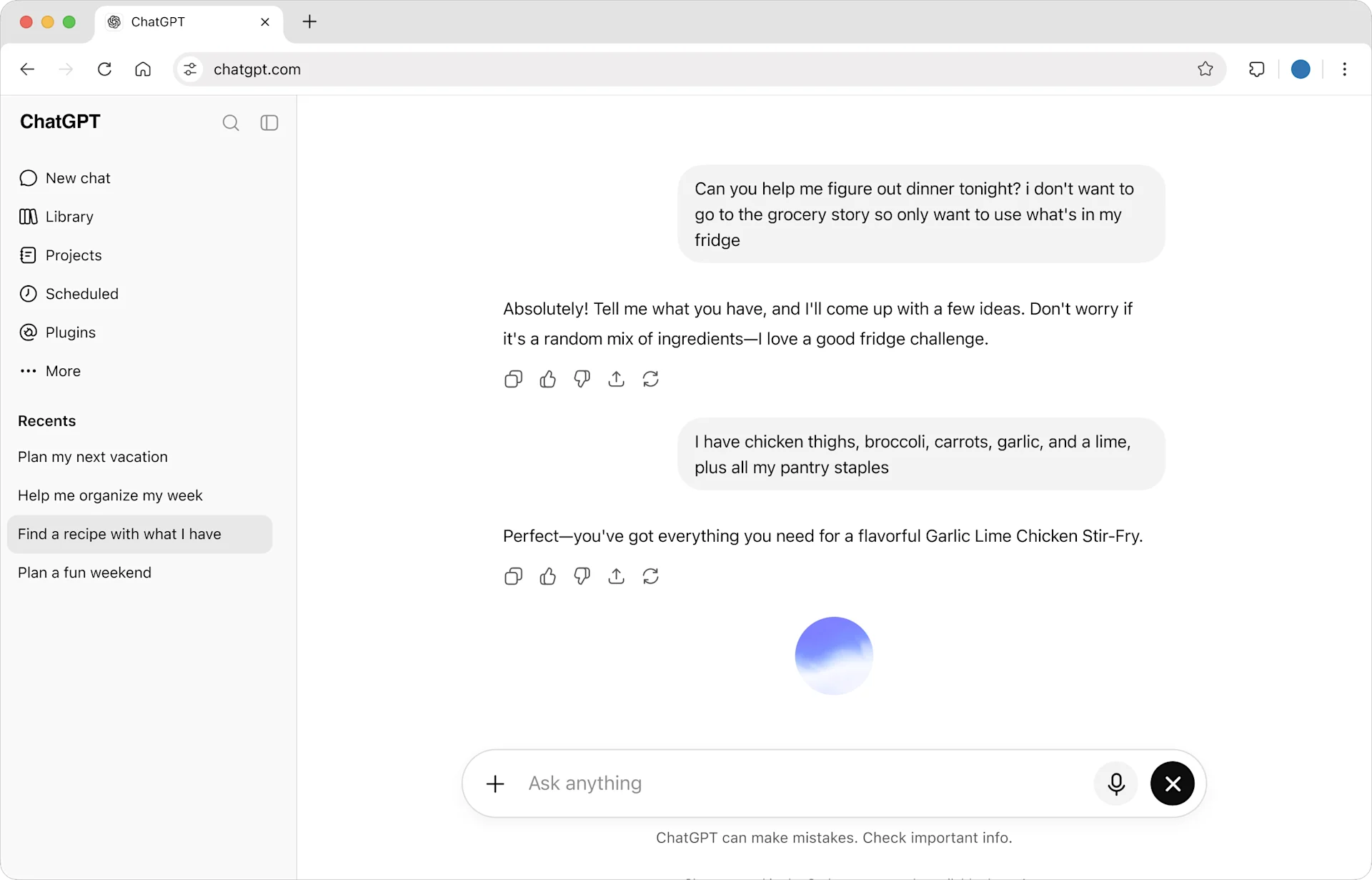
I have a love-hate relationship with ChatGPT.
- Best for
- Backend development and clearly defined internal tasks.
- Pricing
- Standard seats cost $20 per person per month, billed annually, or $25 per person on monthly billing, with a minimum of two seats.
Pros
- Strong backend coding.
- Thorough execution when the task is clearly described.
- Shared Workspace Agents and scheduled tasks.
Cons
- Writing often feels too formal in my experience.
- Understanding my intent can take repeated explanations.
- Frontend designs often disappoint me.
It’s excellent at coding and following through on tasks. It’s been involved in almost every project I’ve built, and it’s my first choice for backend development.
But working with ChatGPT can be exhausting. In my experience, it often follows the wording of a request without understanding what I’m actually trying to achieve. Its writing tends to be too serious and formal, and it spends more time on safety warnings than I’d like. I end up explaining and revising things repeatedly to get the result I want.
On the other hand, once I describe a task clearly, ChatGPT follows through. It rarely seems to cut corners or replace my instructions with its own idea of what would be better. That’s why I still consider it one of the best AI agents for business, especially for clearly defined development tasks.
When people ask me when to use ChatGPT vs Claude, this is the difference I think about. Claude feels more like an AI coworker. ChatGPT feels like a highly capable robot that does what it’s told.
How I use ChatGPT as an AI agent for work
ChatGPT can handle many of the tasks I described in the Claude section. But I mostly use it for internal work and tend to avoid having it communicate directly with customers. Here are a few ways I like to use it:
- Debugging and fixing backend code. Say customers report duplicate entries in an order list. I give ChatGPT the relevant code, a request example with sensitive details removed, and the expected result. I ask it to check the query and pagination logic, then fix the issue using the project’s existing coding style. I’ll also ask it to check whether the change could cause orders to go missing between pages. Clearly defined problems like this are where I find ChatGPT most useful.
- Preparing internal project updates. Weekly reporting is a useful starting point if you’re trying AI agents for small business. Give an agent the relevant project files and ask for completed work, delays, and next week’s plans. For delayed projects, ask it to include the original deadline, the revised date, and the reason recorded in the source material. For an internal update like this, I’m mainly looking for complete information and important changes that might otherwise get missed.
ChatGPT for teams: sharing agents and recurring work
ChatGPT Business lets you save a task’s instructions, files, and tools in a Workspace Agent, share it with colleagues, and schedule it to run. If you’re looking at AI agents for teams, this is a useful feature to compare. Workspace Agents
For example, once you’re happy with a weekly project report, you can save its sources and reporting requirements in an agent. Other team members can use it to prepare their updates with the same instructions. When comparing the best AI agents for business, I’d look at whether colleagues can reuse a setup like this for their recurring work.
When setting up AI agents for your business, check which accounts they use to access company tools. A shared Workspace Agent can use either the account of the person running it or an agent-owned account. That means colleagues using the same agent may have access to different information. Actions that write to connected apps ask for approval by default. Workspace Agent connections and approvals
How much does ChatGPT Business cost?
Standard seats cost $20 per person per month, billed annually, or $25 per person on monthly billing, with a minimum of two seats. For a team of five, the annual subscription comes to $1,200. ChatGPT Business plan pricing
Your total ChatGPT Business cost can also include workspace credits for eligible usage beyond the plan’s allowance. If your team runs agents frequently, those credits need to be part of the budget too. Separate OpenAI API usage isn’t included in the Business subscription. Credits and spend controls

Gemini Enterprise Business: Google’s ecosystem, research, and learning
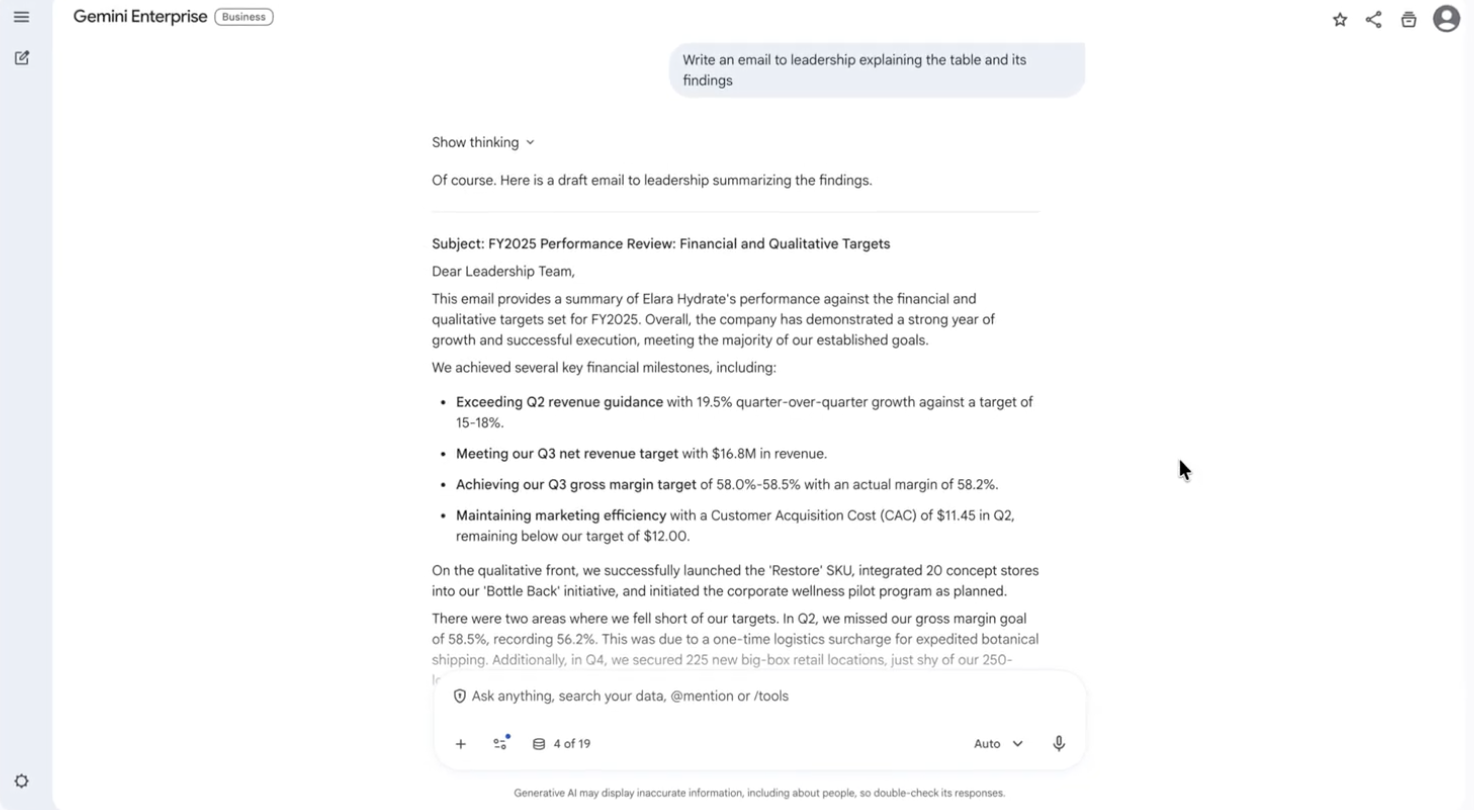
Google’s ecosystem earns Gemini a place on my list of the best AI agents for business.
- Best for
- Research and learning, especially for teams working in Google’s ecosystem.
- Pricing
- From $21 per seat per month, purchased separately from Google Workspace.
Pros
- Deep Research and Notebook for research and learning.
- Company data connections and enterprise access controls.
Cons
- For everyday work, I still prefer ChatGPT and Claude.
If you already use Google’s products, bringing AI into that setup is convenient. Other AI tools for business also connect to your apps, though, so integrations alone don’t set it apart.
Research and learning are where I’m more likely to choose Gemini. For example, when investigating a new market, I can use Deep Research to understand the main companies, customer needs, and competition, then follow up on a particular segment or check the sources behind a conclusion. Notebook is useful for learning from a collection of existing materials. Both are available through a browser.
For teams, Gemini Enterprise Business connects company sources such as Workspace, Microsoft 365, HubSpot, Jira, and Slack. Employees use information they have permission to access. Its $21 starting price is for a separate product from the Gemini features in Workspace; features depend on the edition. Gemini Enterprise Business features and pricing

Microsoft 365 Copilot Business: consider it if your company relies on Microsoft
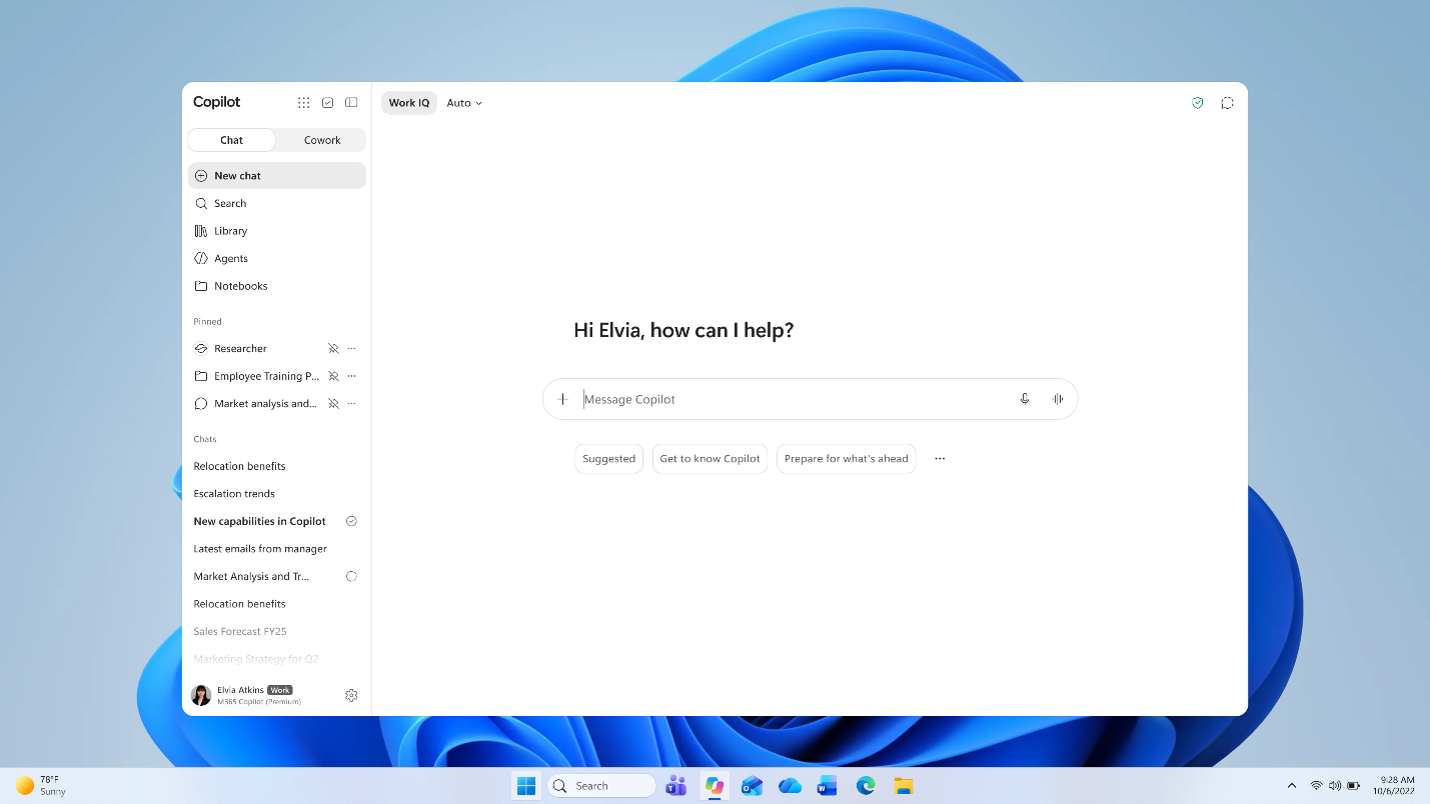
Copilot is on this list mainly because it’s a Microsoft product.
- Best for
- Teams tied to Microsoft 365 that want AI inside their existing apps.
- Pricing
- U.S. monthly add-on subscription: $25.20 per person per month, plus a qualifying Microsoft 365 base license.
Pros
- Works inside the Microsoft 365 apps the team already uses.
Cons
- Outside Microsoft’s ecosystem, I have little reason to choose it over the other options.
If your company depends on Outlook, Teams, Word, Excel, and PowerPoint, and you don’t want to switch tools, it’s a natural choice among AI agents for work.
One practical example is catching up on a long customer email thread. Copilot can summarize confirmed requirements, delivery changes, and unanswered questions, then help draft a reply. It uses information the employee already has permission to access. Work data and permissions
The base Microsoft 365 subscription costs extra, and some advanced AI features incur usage charges. Pricing · License requirements
AI collaboration: how we think teams will work in the future
Compared with the everyday AI tools above, these products look more like team chat apps, or agents working inside them. They focus on people and agents working together: several colleagues can take part in the same conversation with one or more AI teammates.
We think this will become a mainstream way for companies to work. Just as Slack changed teams’ reliance on email, working with AI employees will change how we use team chat.
If your company is deeply tied to Slack and isn’t considering a switch, I’d start with Slackbot. If you’re open to a different AI collaboration platform, I’d recommend Offloop, which we built ourselves. In our own use, it performs noticeably better for work involving multiple agents over time, and it supports much of our company’s day-to-day operations. We use Offloop to run our own company.
Changing a team chat app deserves careful thought because it affects everyone’s working habits. But we believe agents will become digital employees, and now is a good time to consider AI collaboration tools designed for people and agents to work together.
We also compare the options in our Best Team Chat Apps article, which you can read alongside this guide.

Offloop: an AI team workspace for people and digital employees
After using many of the products in this space, we decided to build our own. That became Offloop.
- Best for
- Teams that want people and multiple agents to keep working together in one shared workspace.
- Pricing
- Custom pricing for a team pilot.
Pros
- Agents that keep working alongside the team.
- Shared memory and shared Skills.
- Flow for repeatable work.
Cons
- Still in private beta; you need to apply for access.
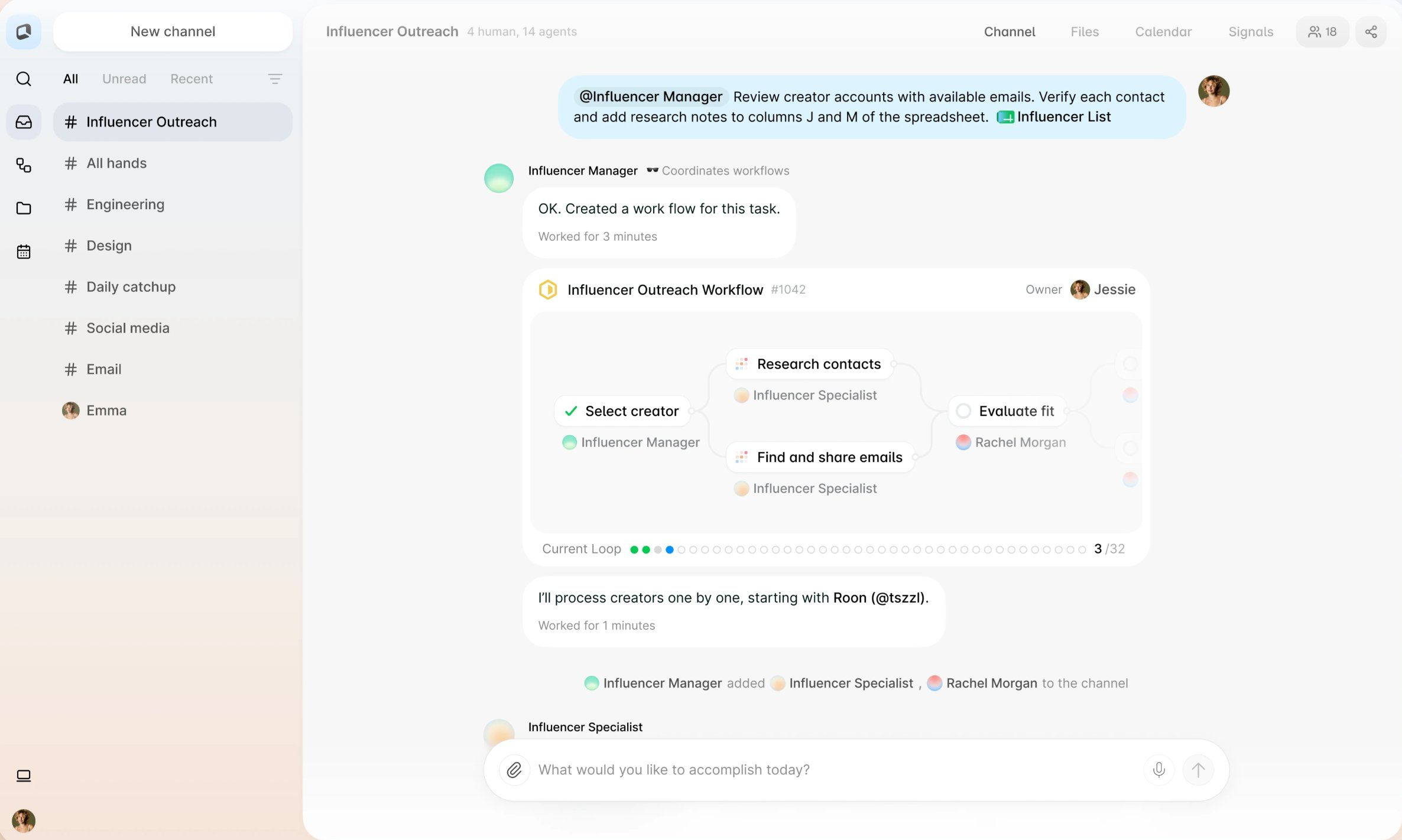
Using Slackbot was what made us realize that, to get the most out of AI agents for teams, we needed to build an alternative to Slack.
We want different agents to work like digital employees, staying involved as the work continues. Colleagues can assign tasks and add information in the same Channel. Different agents can help with research, execution, and checking the results, alongside the people working on the project.
We’ve also built shared memory and shared Skills for companies. When a colleague develops a useful method, it can become a shared Skill that other agents use. For example, a sales team can save its customer research steps and qualification criteria so that agents used by other colleagues can follow the same approach.
Flow is designed for repeatable work. After a task is finished, the team can ask AI to capture the steps and lessons in a workflow for similar tasks. Methods that work well can be reused and improved as the team learns more.
How teams can work with Offloop
- Develop and test a product in one conversation. A tester posts reproduction steps and screenshots in a Channel, a developer explains the expected behavior, and agents help investigate. Different agents can review code, propose a fix, and help verify it. Team members discuss the results together and add new information as the investigation continues.
- Monitor market intelligence and adjust strategy. The marketing team chooses competitors, industry developments, and customer topics to follow. Agents collect updates on a schedule. If a competitor changes its plans, an agent can summarize the changes, salespeople can add customer reactions, and the marketing lead can ask for an analysis of what this means for current messaging and sales strategy. Follow-up decisions and tasks stay in the same Channel.
- Provide round-the-clock customer service. A team can configure agents around product information, service policies, and common questions to handle inquiries. Colleagues take over when a situation requires a business decision. New questions and useful replies can become part of shared memory or Skills for future conversations.
Offloop can also handle everyday tasks such as research, writing, and data analysis. Much of our own work happens here, and we’re exploring more ways for people and AI coworkers to work together.
Offloop pricing and access
Offloop is still in private beta, with custom pricing for team pilots. You can apply with a task your team is already working on, and we can work through how you’d use it together. Offloop pricing and early access

Relevance AI: give different agents different responsibilities
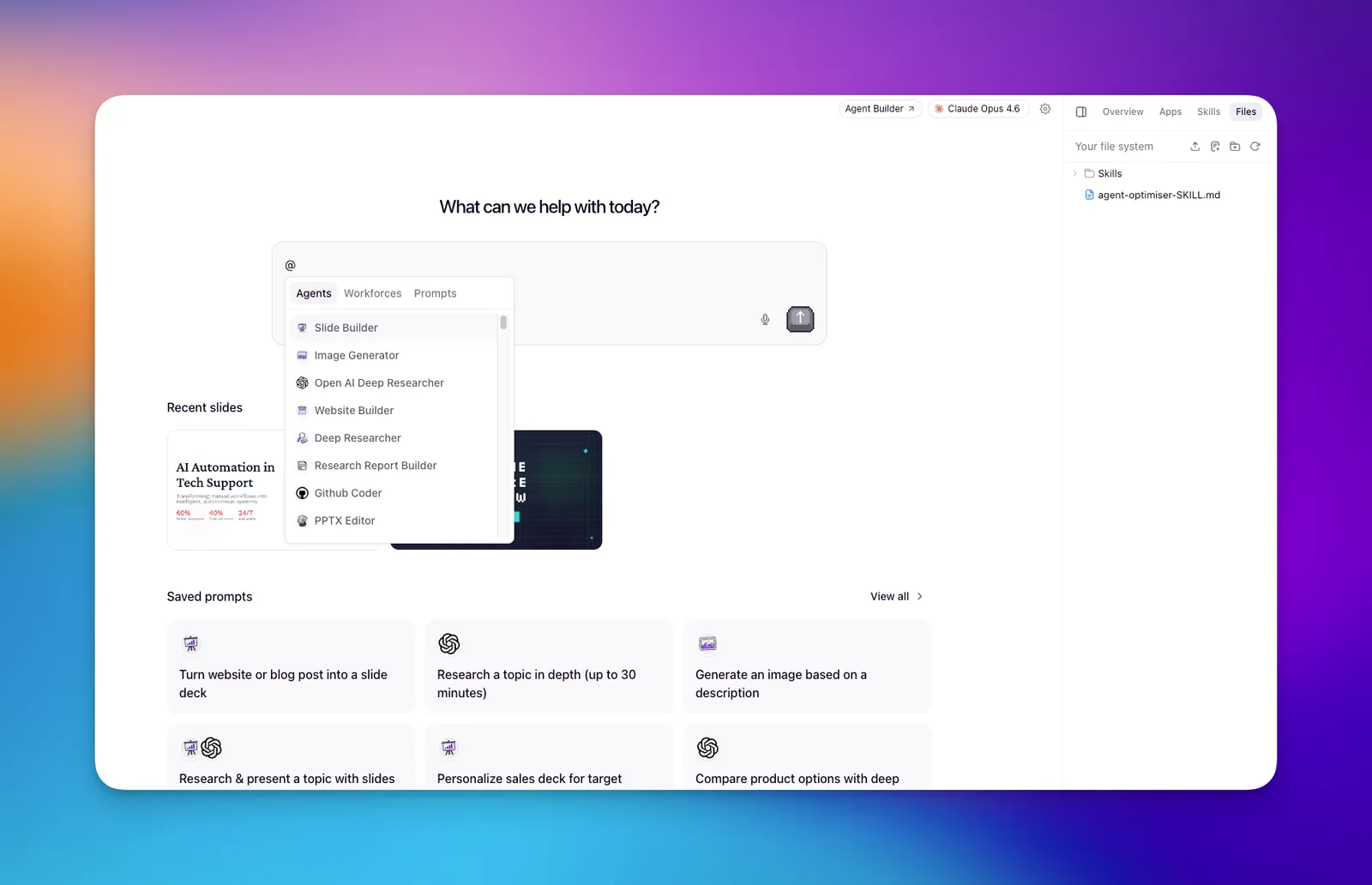
Relevance AI’s Workforces lets you arrange agents on a canvas, set an order, add conditions, or let an agent decide when to hand over.
- Best for
- Teams with a defined process that needs several agents and explicit handoffs.
- Pricing
- Custom Enterprise pricing; contact sales.
Pros
- A visual canvas for agent responsibilities and handoffs.
- Execution order and conditional steps.
Cons
- You need to design what each agent does and what it passes to the next.
It focuses on multi-agent orchestration rather than colleagues discussing work in a group chat.
A research report is a useful example of a multi-agent workflow. One agent gathers information and sources, another writes, and another checks for missing evidence or contradictions. You can specify checks such as whether prices include billing terms. A person still decides whether the report is ready to use.
Selected tool actions can require human approval. Enterprise includes single sign-on, role-based access, and audit logs, with actions and vendor credits arranged as part of the quote. Approval Mode · Relevance AI pricing

Slackbot: consider it if your company isn’t leaving Slack
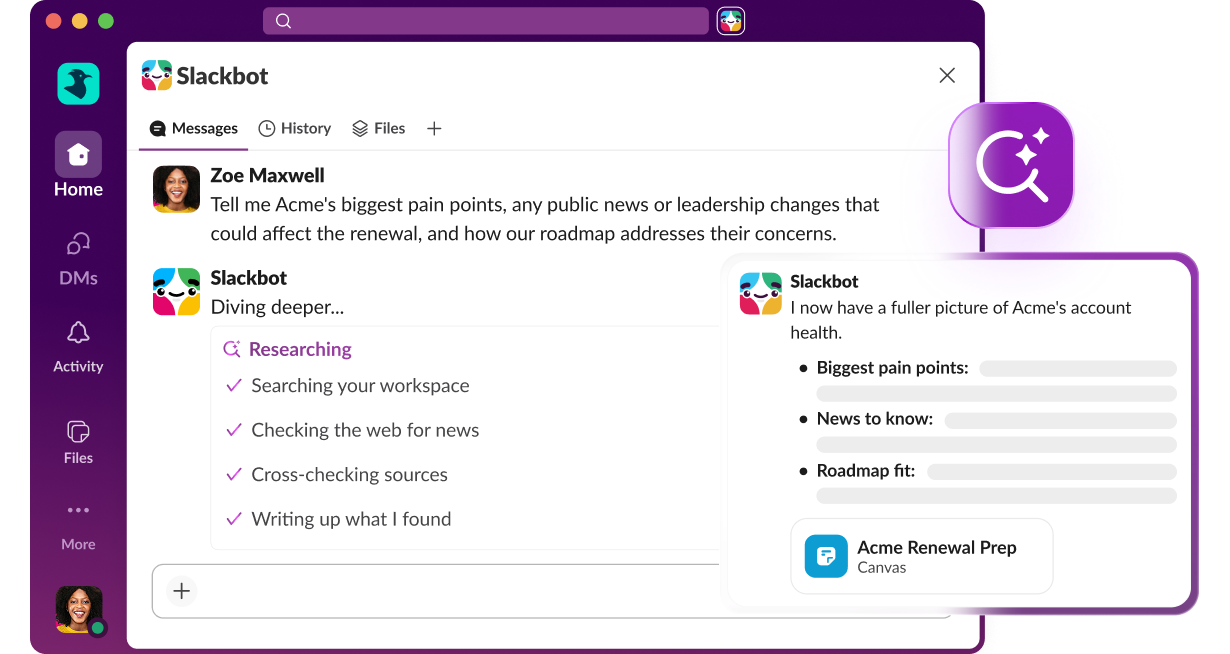
I’ve used Slackbot.
- Best for
- Companies deeply reliant on Slack that want an agent to use existing conversations and files.
- Pricing
- Included in eligible Business+ and Enterprise+ plans. Business+ normally costs $15 per person per month with annual billing, or $18 with monthly billing.
Pros
- Uses the Slack conversations and files employees already have permission to access.
Cons
- Expensive in my experience.
- Its capabilities haven’t particularly impressed me.
- Business+ includes 15 Slackbot messages per person per week.
For me, its biggest advantage—possibly the only reason I’d choose it—is that it comes from Slack. The company’s conversations, files, and project history are already there, so using that background is convenient.
Slack pricing · Slackbot usage limits
Beyond that, the product hasn’t given me much to get excited about, and I think it’s expensive. Usage limits can also get in the way when a task needs several rounds of discussion and revision.
If your company relies heavily on Slack and wants an agent in the same environment, the Slackbot AI agent is still worth considering. But if I were simply choosing the best AI agents for business, I’d prefer several of the options above.
What can teams use Slackbot for?
- Prepare materials from a team discussion. After a product launch discussion in a channel, ask Slackbot to draft the announcement from that conversation. The product manager adds feature details, marketing adjusts the audience and emphasis, and the team continues revising it together. Slackbot features
Slackbot pricing and usage limits
Ongoing Slackbot access is included in eligible Business+ and Enterprise+ plans. Business+ normally costs $15 per person per month with annual billing, or $18 with monthly billing. Enterprise+ requires a sales quote. These are Slack subscription prices, not a separate Slackbot subscription. Official pricing
Business+ members can send 15 messages to Slackbot per week. After that, they need to wait for the reset or pay for additional usage with Salesforce Flex Credits where eligible and enabled. Enterprise+ does not have the same weekly message limit, but overall usage policies still apply. Slackbot limits and credit usage
AI workflow automation: why I rarely use these tools anymore
I rarely use traditional workflow products now. A general AI agent or Offloop, with a Skill capturing the method, can handle much of that work for me. Setup and maintenance are why I wouldn’t usually start with AI workflow automation tools in 2026: every connection and branch needs configuring, then updating as the business or apps change.
Still, if your team already has reliable workflows or needs control over each step, Zapier and n8n are two products I’ve used and liked.
Zapier: add AI to workflows you already have
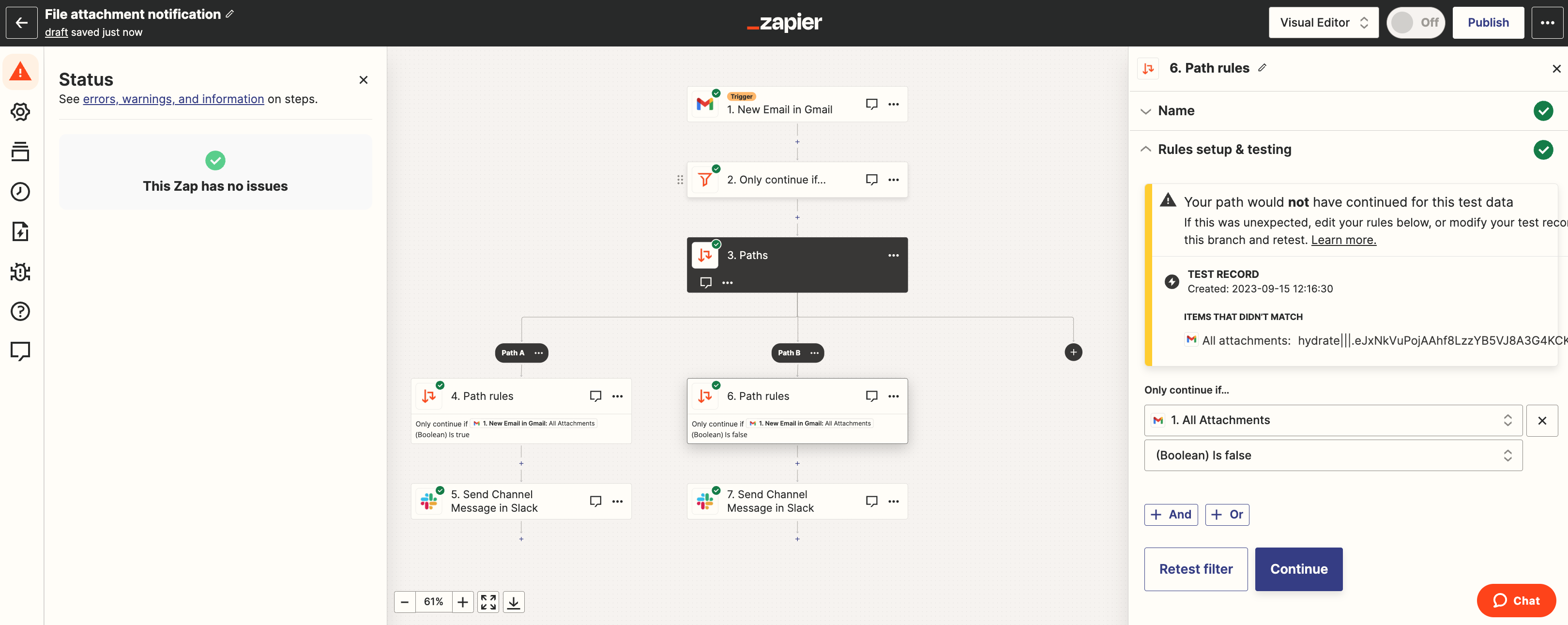
AI by Zapier adds content understanding and tool calls to a Zap.
- Best for
- Teams adding AI steps to Zaps they already use.
- Pricing
- Professional starts at $19.99 a month, billed annually.
Pros
- Adds AI content understanding and tool calls to existing Zaps.
Cons
- One run can consume several tasks.
- For a new workflow, I would try a general agent first.
I’d consider it for existing Zaps; starting from scratch, I’d try a general agent first.
Model choices and tool calls affect task consumption, so one run can use several tasks. Zapier pricing · AI task pricing

n8n: more control for technical teams
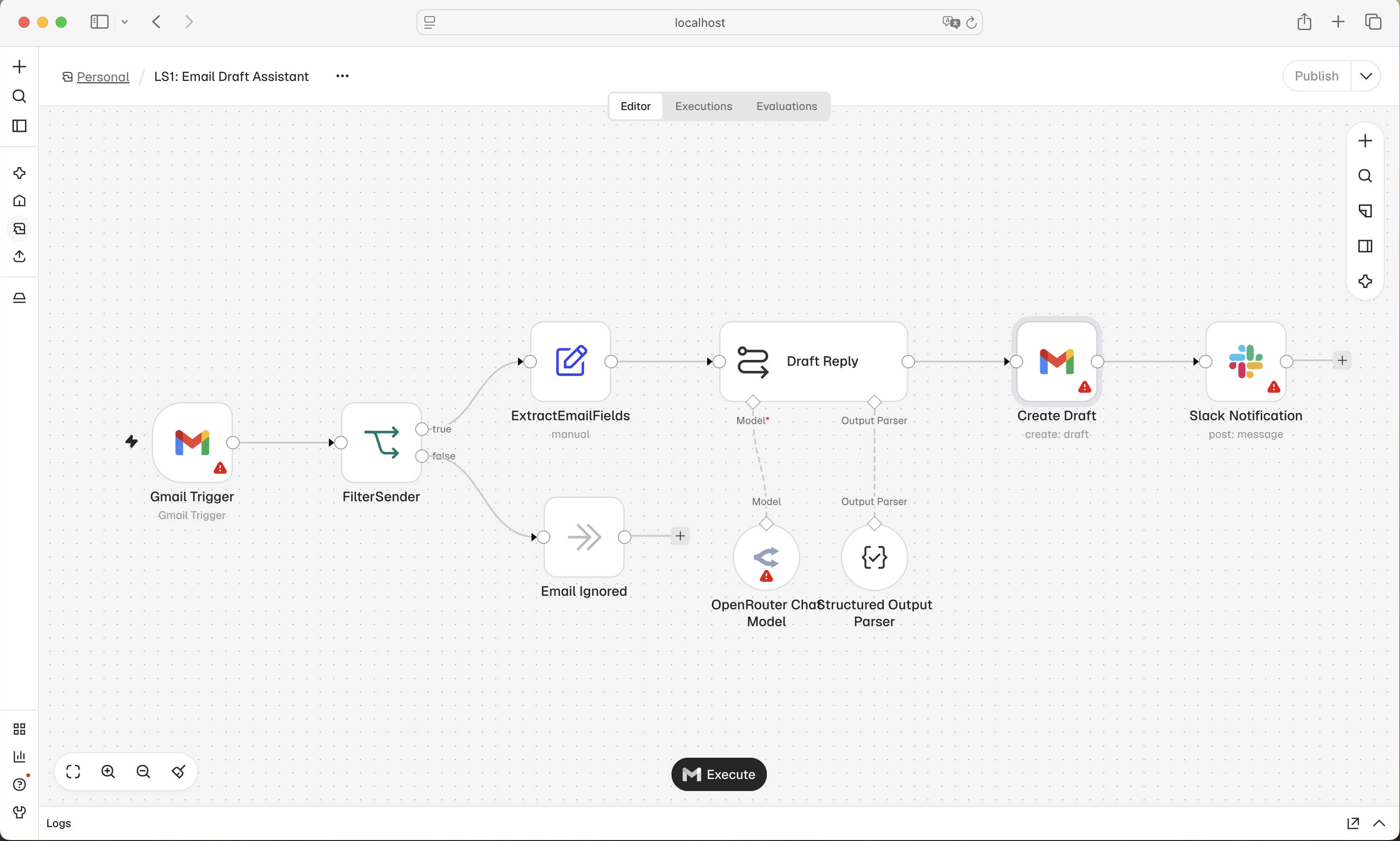
An n8n AI agent can work inside a visual workflow alongside API calls and code, with human approval available for tool actions.
- Best for
- Developers who need custom APIs, code, or self-hosting in their workflows.
- Pricing
- Cloud Starter costs €20 a month, billed annually, with 2,500 monthly workflow executions.
Pros
- Combines agents, APIs, and code in a visual workflow.
- Tool actions can pause for human approval.
Cons
- Starter supports 5 concurrent executions.
- Starter executions have a 5-minute limit.
Starter allows 5 concurrent executions, with a 5-minute limit per execution. n8n counts whole workflow executions rather than Zapier-style tasks. The Community Edition can be self-hosted, but your team handles the environment, upgrades, and credentials. I’d choose it only with someone responsible for maintenance. n8n pricing and limits
Specialized AI agents: sales research and phone service
These products are designed for a specific kind of work. When choosing them, I’d look at how similar companies use them and what changes for customers and staff.
- What companies in your industry report. If you want AI voice agents to answer appointment calls, look at how similar businesses use them. Which calls go well? Which need a person? Do they keep paying for the product after using it for a while? A comparable business is more useful than a generic demo.
- Whether customers stay or leave. If calls previously went unanswered after hours, an agent completing appointments could bring in more business. But if customers have to repeat themselves and still aren’t understood, they may hang up and call someone else. Look at booking completion, abandoned calls, and customer feedback.
- Whether internal costs and efficiency improve. If an AI sales tool researches potential customers every week, does that reduce the time salespeople spend searching, and are the companies a better fit? If staff have to recheck and reorganize everything, include that time and the subscription cost. For phone agents, compare time saved on calls with the time spent checking and taking over conversations.
Here are two products I think are worth knowing about: Clay and Retell AI.

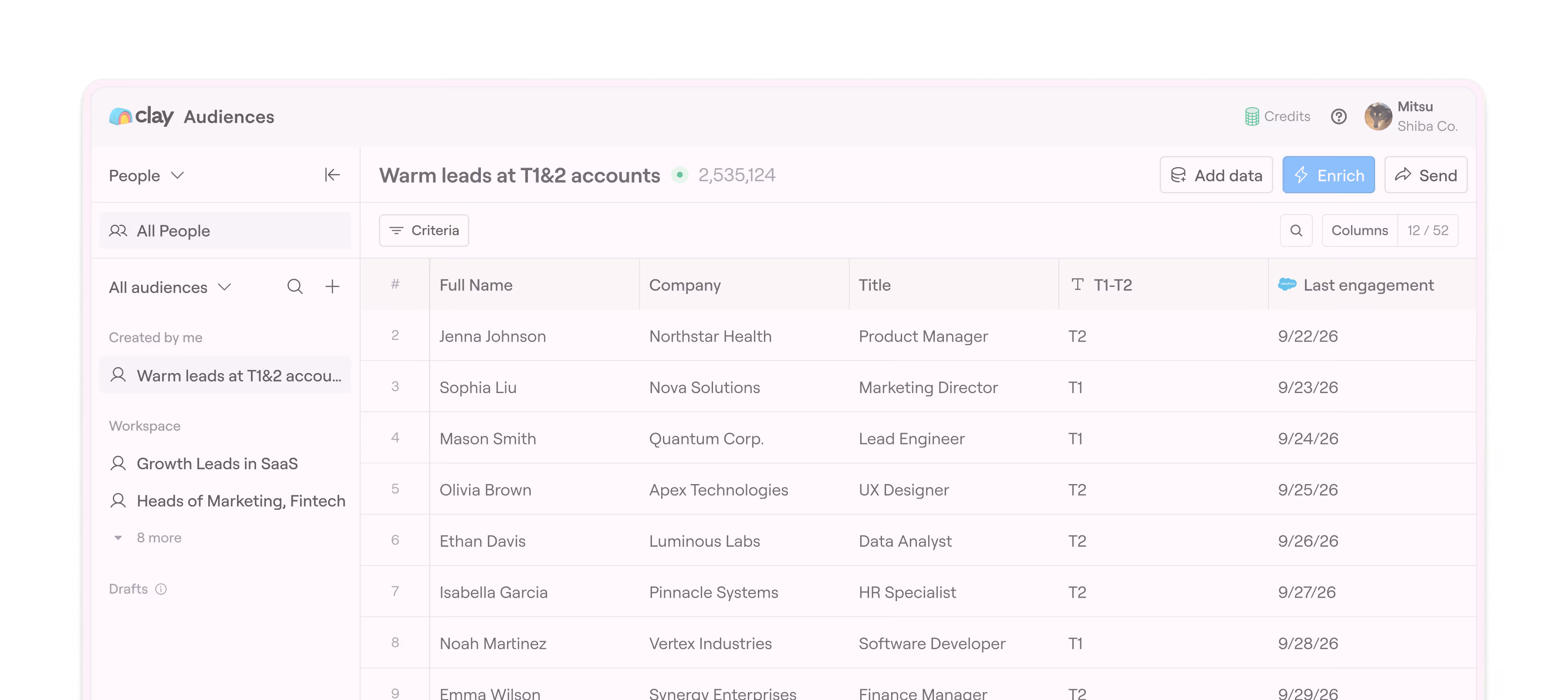
Clay: one of my favorite tools for finding customers
Clay is a product I really like.
- Best for
- Sales teams finding potential customers through precise company and contact research.
- Pricing
- Launch: $185 a month on monthly billing, with 15,000 Actions and 2,500 Data Credits.
Pros
- High-quality data and contact email information.
- Precise filters for finding potential customers.
Cons
- Actions and Data Credits have separate allowances.
- Automatic CRM syncing requires a higher plan.
I’ve found many of our customers through it. For AI lead generation, it’s particularly useful when you know who you want to reach and can define specific conditions.
For example, an international recruitment service could use Claygent to find companies actively hiring overseas. That’s different from a company simply mentioning international business on its website. You can make the distinction part of the instructions and ask for the hiring information behind each result. Then find people in relevant roles and their emails, and use the research to prepare outreach.
Claygent uses web search, company background, and uploaded documents to return structured information. That combination is what I like about Clay AI for sales research. Claygent Builder
A company investigation can consume multiple actions and data credits. Automatic CRM syncing, HTTP API, and Webhook access require Growth, so include that plan if your team needs leads sent into the CRM automatically. Clay pricing

Retell AI: agents for calls, appointments, and order inquiries
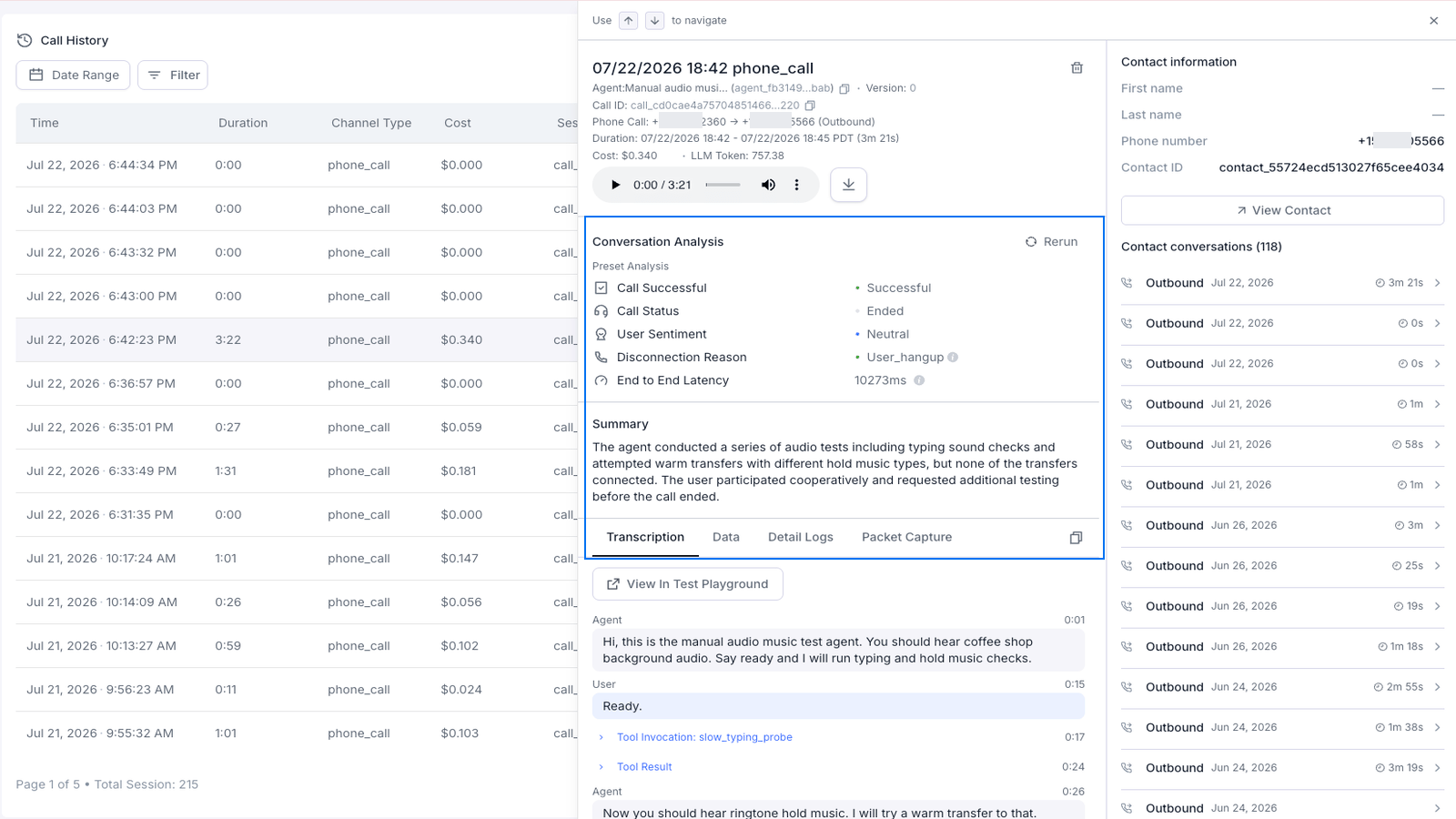
If your company receives many similar calls, Retell AI is worth considering.
- Best for
- Businesses handling recurring booking, inquiry, and support calls, including after hours.
- Pricing
- Voice agents cost $0.07–$0.31 per minute, with telephony and add-ons charged separately.
Pros
- Queries business systems during calls.
- Books appointments and transfers calls to people.
Cons
- Integrations need to be configured for your business systems.
- Costs depend on the model, voice, and phone setup.
It lets you build AI voice agents that use configured tools during a call to look up information, make appointments, or send text messages.
Say a business receives booking calls after it closes. Once the appointment system is connected, an agent can ask what service and time the customer wants, check availability, and submit the confirmed booking. That’s a concrete use for an AI voice agent for a small business.
What can you use it for?
- AI appointment scheduling. A customer wants a Saturday afternoon slot, but it’s full. The agent can check alternatives, offer available times, confirm the name and contact details, and write the booking to the appointment system. A configured text-message action can send the booking information.
- Transfer calls to a person. If the customer needs to discuss an arrangement or asks something the agent can’t handle, Retell supports direct transfers and transfers with an introduction to the person answering. Transfer Call is for phone calls; the web voice demo doesn’t support this phone transfer feature. Call transfers
Retell AI pricing and usage
Published voice agent pricing ranges from $0.07 to $0.31 per minute. For 1,000 minutes, that part of the bill comes to $70–$310, with telephony and add-ons charged separately. The model, voice, and other options determine the final cost. Official pricing
Which AI agent would I choose?
If you want an AI tool for everyday work, I’d start with Claude. Of the products I use, it’s the most versatile and the easiest to work with. That’s my first recommendation whether you’re comparing the best AI agents for small business or choosing a tool for your own work.
For a whole team, I’d try a way of working where colleagues and agents take part together. We believe agents will become digital employees: joining discussions, carrying out tasks, and building on what the team has learned. That’s why we built Offloop, and we use it to run our own company.
If that interests you, bring a task your team is already working on. It could be a product launch, ongoing market research, or regular customer work. See whether working with colleagues and agents helps you move it forward. Apply for Offloop early access
Sources
- Source: McKinsey www.mckinsey.com
- ChatGPT Workspace Agents help.openai.com
- Claude AI integrations and Team features support.claude.com
- ChatGPT Business plan pricing learn.chatgpt.com
- Credits and spend controls help.openai.com
- Gemini Enterprise Business features and pricing cloud.google.com
- Work data and permissions learn.microsoft.com
- Pricing www.microsoft.com
- License requirements learn.microsoft.com
- Offloop pricing and early access offloop.org
- Workforces relevanceai.com
- Approval Mode relevanceai.com
- Relevance AI pricing relevanceai.com
- Slack pricing slack.com
- Slackbot usage limits slack.com
- Slackbot features slack.com
- AI by Zapier tools help.zapier.com
- Zapier pricing zapier.com
- AI task pricing help.zapier.com
- Human review blog.n8n.io
- n8n pricing and limits n8n.io
- Claygent Builder university.clay.com
- Clay pricing www.clay.com
- Function calling docs.retellai.com
- Call transfers docs.retellai.com
- Official pricing www.retellai.com