
Microsoft Teams brings team chat, video meetings, business calling, and Microsoft 365 collaboration into one platform. Start with the part your team needs to improve.
For everyday messaging, Slack is an established choice. If video meetings are the priority, consider Zoom Workplace. If your company already uses Google Workspace, Google Chat and Meet keep conversations, files, and meetings under the same accounts.
If you want AI agents to take on tasks alongside your team, we recommend starting with Offloop.
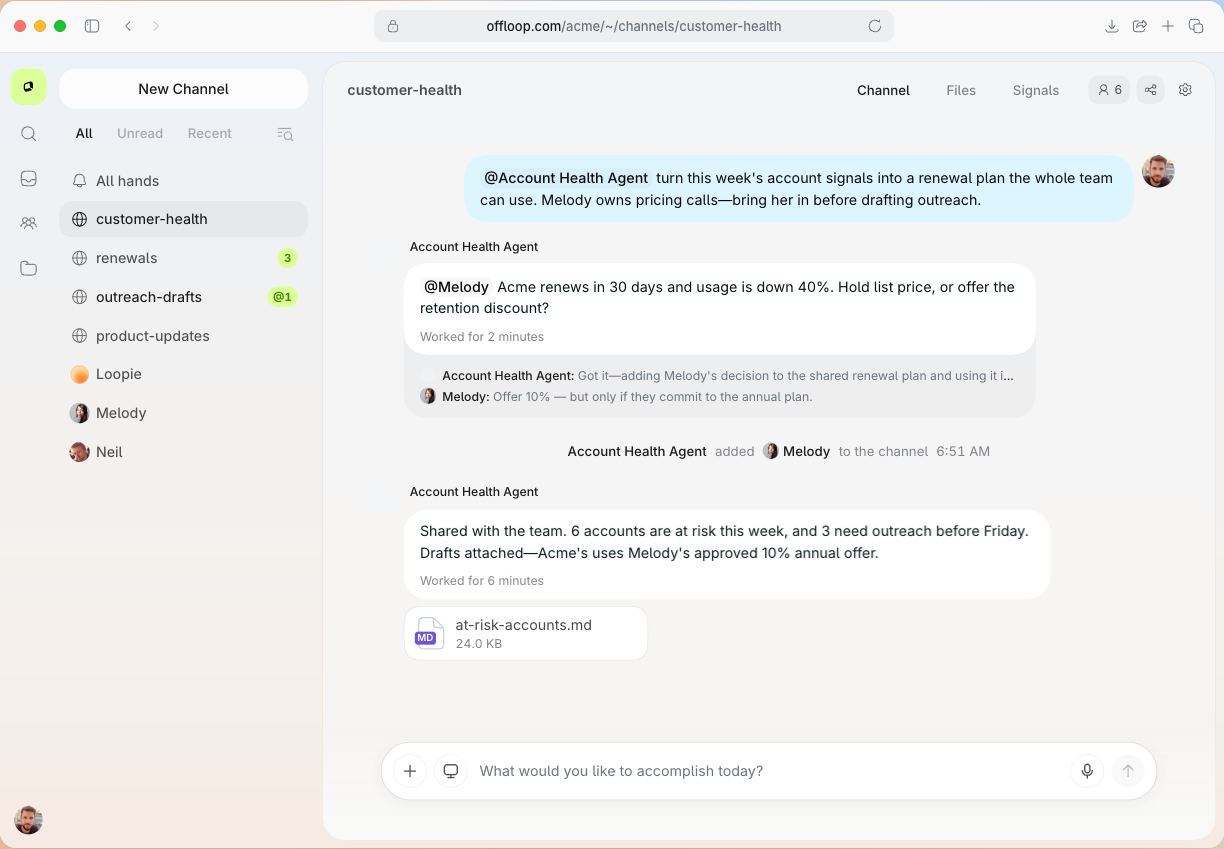
Offloop gives people and AI agents a shared workspace. In a Channel, teammates can discuss a project, share files, assign work, and review what an agent delivers. The project context stays in the workspace, so teammates can hand off a task without copying the discussion and files into another tool.
We compare six products by what they do, what they cost, and where they fall short. We built Offloop and describe how its workflow works below. The customer examples for the other products come from public case studies and documentation.
Six Microsoft Teams alternatives compared
| Product | Best for | Main limitation |
|---|---|---|
| Offloop | Teams where people and AI agents work together | Use another tool for video meetings and business calling |
| Slack | Established team chat, project channels, and client collaboration | Free history and Huddles are limited |
| Google Chat and Meet | Companies already using Gmail and Google Drive | Teams chats and files migrate separately |
| Zoom Workplace | Companies that run frequent video meetings with clients | Free meetings have a time limit |
| Mattermost | Teams that need self-hosting and control over their data | Your team maintains the server and infrastructure |
| Zulip | Distributed teams with several discussions happening at once | Teams need to adopt topics, and calls use an external provider |
Prices are public list prices in U.S. dollars before tax. Annual plans are shown as monthly equivalents. Check the current rate before purchasing.
Offloop
Offloop is a collaboration platform for people and AI agents working together.
- Best for
- Teams already using agents, or preparing to delegate research, content creation, project work, and recurring business tasks
- Price
- New workspaces start with 200,000 free credits. Individual costs $99 per month for 20,000 monthly credits. Team costs $999 per month for 200,000 monthly credits. Agent tasks draw from the workspace’s credits, and Offloop charges no per-seat fee.
Pros
- People can assign and review agent work in the Channel where the project is discussed
- Channels keep project context available for revisions and handoffs
Cons
- Video meetings and business calling need a separate service
- Teams planning a full migration need to confirm message imports, admin permissions, and retention
When the chat and AI tools are separate, a teammate may have to explain a task twice, upload the project files to the AI tool, and paste the result back into the channel for review.
In Offloop, a teammate can assign a task to an agent directly in the Channel. The agent can use the context shared there and post its result in the same conversation, where people can review it or continue the work.
A Channel can keep the goal, files, decisions, task owners, and approvals together. Flows organize work into stages and support assignments and handoffs. Offloop Flow
How we built collaboration in Offloop
We designed the Channel to carry the work through revisions and changes of ownership. If an agent’s result needs edits, the reviewer can refer to the original discussion and files. If the task changes hands, the next teammate or agent can see the decisions already made. Flows support those handoffs and keep human review in the workflow. Offloop Channels
Where Offloop fits
Offloop fits teams that assign work to agents in chat and need people to review it or take it over. Your team can add people without paying for extra seats. The cost depends on how much work agents do and which models they use.
Keep a separate service for video meetings and business calling. Before a broader move, confirm which message history you can import and whether the available admin and retention controls meet your requirements.
Start with a recurring task your team already does. Check whether the agent can work from the existing context and deliver something a teammate can review. Record how many credits the task uses. Offloop pricing

Slack
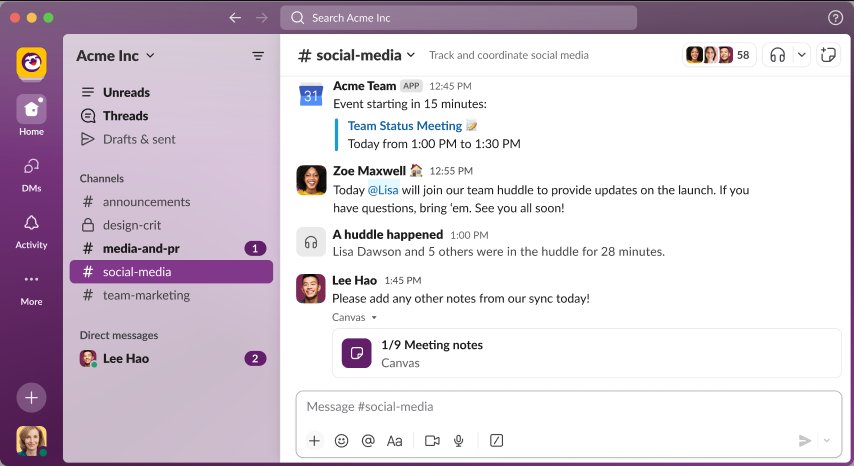
Slack suits teams that need project channels, everyday messaging, file sharing, and ongoing communication with clients. Slack Connect lets two companies work in a shared channel from their own workspaces.
- Best for
- Companies replacing Teams chat while keeping their email, files, and meeting tools
- Price
- Free. Pro costs $7.25 per user per month billed annually or $8.75 billed monthly.
Pros
- Slack Connect supports collaboration across organizations
- Huddles support audio, video, and screen sharing
Cons
- Free shows only the latest 90 days of message and file history
- Free Huddles are limited to two people
How Plative works with clients in Slack
In Slack’s customer story, consultancy Plative describes using an internal project channel to coordinate development and delivery, plus a shared channel where the client can see proposals and give feedback.
That setup gives Plative a place for internal deliberation and a separate record of client feedback, reducing the need to switch between email and project tools. Slack Connect channels generally require paid plans on both sides. Plative case study · Slack Connect requirements
On paid plans, teams can start a Huddle in a channel and talk, share a screen, or switch on video. Up to 50 people can join, with up to 25 on video at once. Free shows 90 days of message and file history and limits Huddles to one-to-one calls. A team that regularly looks up old project decisions will usually need a paid plan. Slack plans · Huddles
Slack accepts messages in CSV format. To move messages from Teams, you need to convert the export to Slack’s format. A SharePoint link in a message still depends on the original file permissions. Slack CSV import

Google Chat and Meet
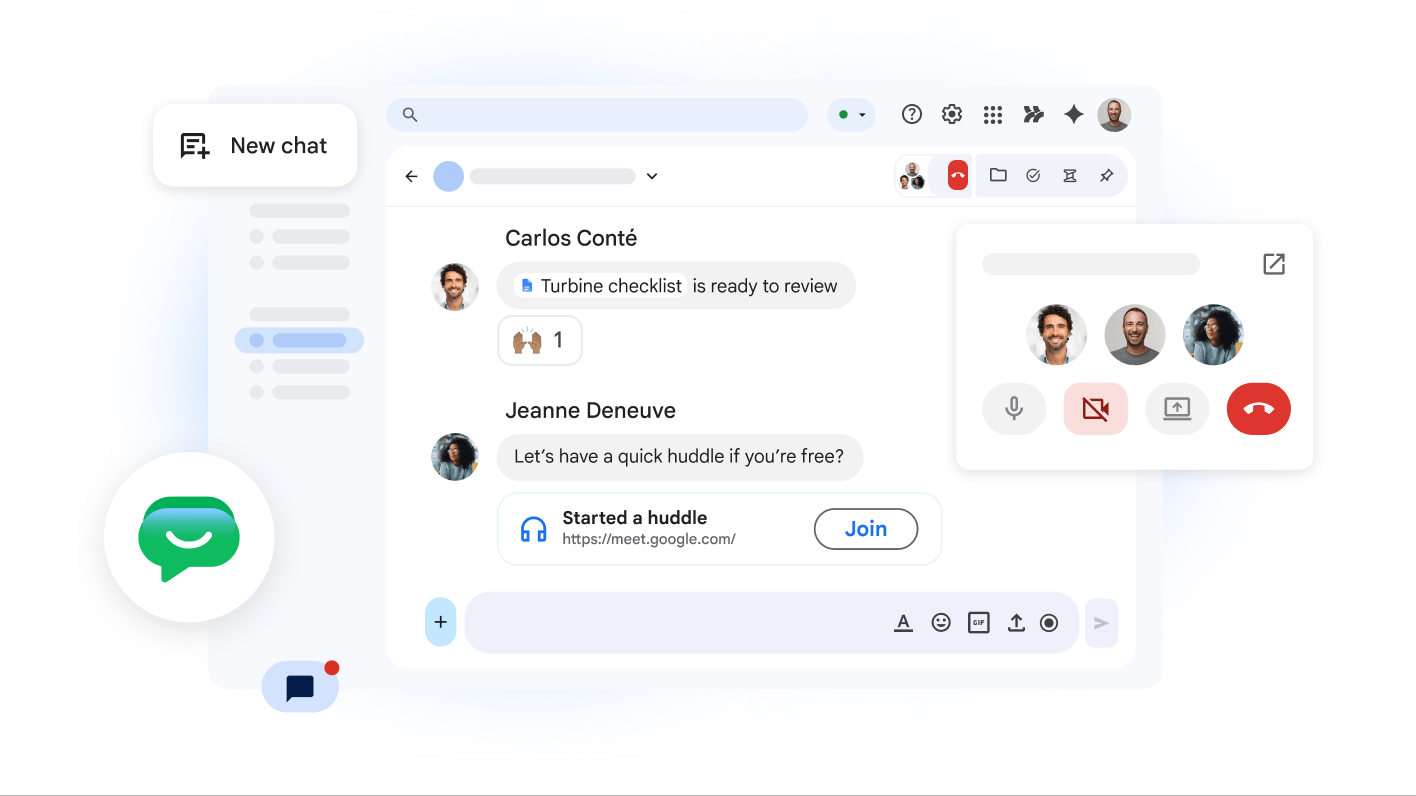
Google Chat connects team discussions to Google Drive files, and Google Meet handles video calls. Teams already using Gmail, Calendar, and Drive can do much of their daily work with the same Workspace accounts.
- Best for
- Companies already using Google Workspace or planning a move from Microsoft 365
- Price
- With an annual commitment, Business Starter costs $7 per user per month and Business Standard costs $14 per user per month.
Pros
- Chat, email, documents, and meetings share a Workspace account
- Google provides a Teams chat importer
Cons
- Business Starter does not include Meet recording
- Chat imports exclude file attachments
Importing Microsoft Teams chats into Google Workspace
Google announced its Teams chat import for Workspace in 2026. Admins can copy Teams channel messages and one-to-one, group, and meeting chats to Google Chat. Teams channels become restricted spaces. One-to-one chats become two-person group chats.
The import skips attachments and excludes messages in certain chats with external participants or former employees. Use the separate migration tools for SharePoint and OneDrive files. If you need old project records, verify that people can find both the imported discussion and the files it refers to. Google’s Teams import announcement · What Google imports
Business Starter supports up to 100 participants in Meet. Business Standard raises that to 150 and adds recording. For a team already working in Google Docs, Gmail, and Calendar, Chat and Meet cut down on switching between tools. Meet editions

Zoom Workplace
Zoom Workplace combines video meetings, Zoom Chat, and collaboration tools. It fits companies that meet frequently with clients and partners.

- Best for
- Companies replacing Teams meetings while keeping Outlook and Microsoft 365
- Price
- Basic is free. Pro costs $14.16 per user per month billed annually or $16.99 billed monthly.
Pros
- The Outlook add-in schedules Zoom meetings from the calendar
- Basic includes Zoom Chat and meetings for up to 100 people
Cons
- Basic meetings last up to 40 minutes
- Business numbers and call queues need a separate Zoom Phone evaluation
Scheduling Zoom meetings in Outlook
The Zoom for Outlook add-in inserts a Zoom link into an Outlook calendar invitation. Staff can keep the email and calendar workflow they already use and host the meeting in Zoom.
If Outlook automatically adds Teams links, check the default meeting provider before sending invitations. Otherwise, one invitation can contain both links. Zoom for Outlook documentation
Zoom Basic allows up to 100 participants for up to 40 minutes. Pro extends the meeting limit to 30 hours and keeps the standard cap at 100 participants.
If you use Teams Phone for public numbers, a customer service queue, or a company switchboard, evaluate Zoom Phone licenses and number porting separately. Zoom pricing · Zoom Phone licensing

Mattermost
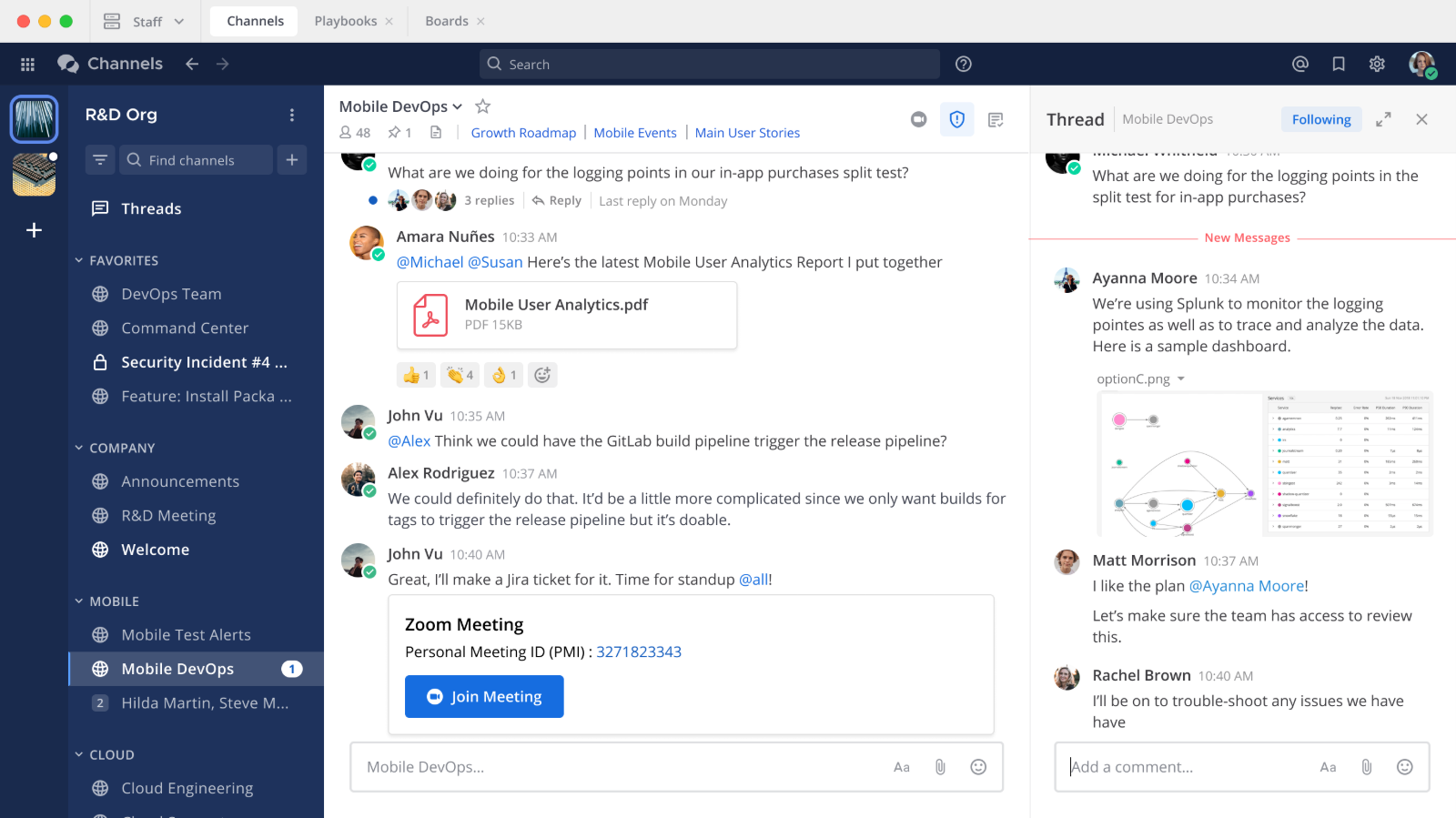
Mattermost lets organizations run their collaboration platform on their own infrastructure. It offers channels, file sharing, search, and audio calling, with control over deployment and operations.
- Best for
- Engineering, IT operations, and security teams that need self-hosting
- Price
- Entry is free with limits. Commercial editions require a quote.
Pros
- Self-hosted chat and file sharing
- Group audio calls and screen sharing on eligible paid editions
Cons
- Your team owns upgrades, monitoring, backups, and recovery
- Free Entry limits searchable history and calling features
How Tulip uses Mattermost to coordinate incidents
Retail software company Tulip describes using self-hosted Mattermost to communicate and coordinate in a channel dedicated to customer incidents. Engineering and operations can share information and work together in an environment the company controls. Tulip case study
Mattermost Calls supports voice and screen sharing. Group calling depends on the edition. Running Mattermost also means handling updates, monitoring, backups, and disaster recovery. A managed service is usually easier to maintain for a team without dedicated IT operations staff. Mattermost pricing · Calls · Backup and disaster recovery

Zulip
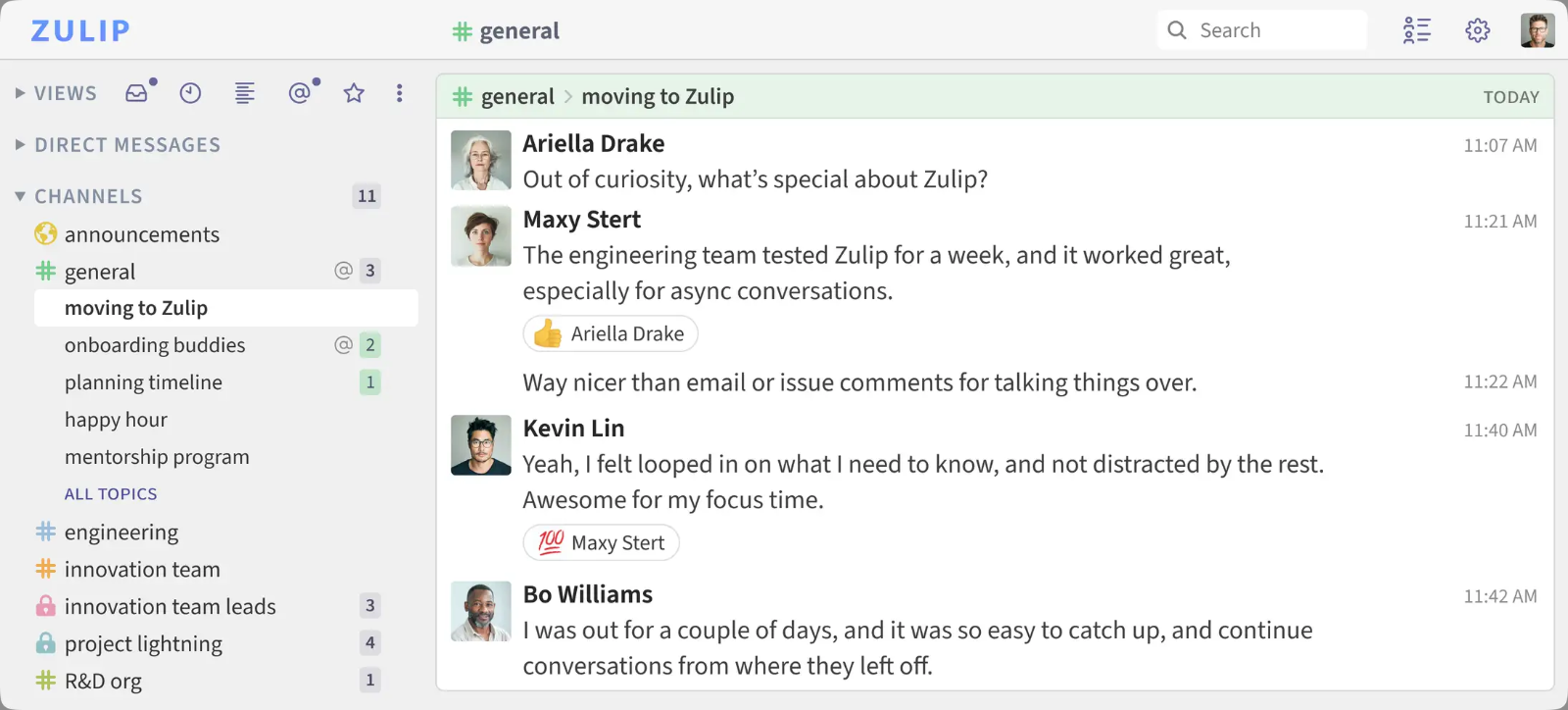
Zulip organizes conversations into named topics within each channel. People can follow a particular question over time and catch up across time zones without reading every message in the channel.
- Best for
- Open-source projects, engineering teams, and distributed organizations with many parallel discussions
- Price
- Cloud Free includes 10,000 searchable messages. Cloud Standard costs $6.67 per user per month billed annually or $8 billed monthly.
Pros
- Named topics keep concurrent discussions easy to follow
- Standard includes unlimited message search history
Cons
- The team needs to get used to organizing discussions by topic
- Calls and video meetings use providers such as Zoom or Jitsi
How the Rust project uses Zulip
The Rust project uses Zulip for conversations across teams and working groups and explains how to use it in its contributor documentation.
Topics keep discussions about separate technical issues easy to revisit. A contributor catching up later can open the relevant topic and follow that discussion through to the decision. Rust’s Zulip guide
Zulip’s beta Teams importer can move some chat data. It excludes private-channel messages, direct messages, meeting chats, and recordings. Arrange separate retention for any of those records your team still needs. Zulip’s Teams import guide
How to switch from Microsoft Teams
Decide which parts you need to replace
Decide what your team needs to change across chat, meetings, business calling, and file collaboration.
A small business owner on Reddit reported that staff often missed Teams chat notifications even though video meetings and the Outlook integration worked well. A chat pilot gives that team a way to test notifications without disrupting its meetings. Small business discussion
If your main goal is to give AI agents a role in team projects, test a complete workflow in Offloop, from the first message and assignment through human review. Keep using your existing meeting tool during the pilot.
Compare the total cost
Slack, Google Workspace, and Zoom primarily charge by seat. In Offloop, agent work uses credits.
- 10 Slack Pro seats · $72.50
- 2 Zoom Pro seats · $28.32
- 10 Google Workspace Business Starter seats · $70
- 10 Google Workspace Business Standard seats · $140
- Offloop Individual · $99, including 20,000 monthly credits
- Offloop Team · $999, including 200,000 monthly credits
Slack Pro for ten people and Zoom Pro for the two who host client meetings add up to about $100.82 per month at annual rates, plus the company’s existing Microsoft 365 subscription.
If all ten move to Google Workspace, Business Starter costs $70 per month and Business Standard costs $140 per month at annual rates. Slack pricing · Zoom pricing · Google Workspace pricing
Offloop costs depend on agent workload and model usage. To compare the full setups, account for the number of employees, agent usage, any Microsoft 365 subscription you keep, and any separate video meeting service you need.
Use Offloop’s starting credits on an existing team task. Check the quality of the result, whether the task was completed, and how many credits it used before choosing a plan. Offloop pricing
Test data access and everyday work
Test message notifications, access to older conversations, file permissions, and the connections to the office tools you plan to keep.
Teams normally stores channel files in SharePoint and files uploaded to chats in OneDrive for Business. After importing messages, use the intended account to check whether the linked files open. Microsoft’s Teams file storage guide
If your company has retention or compliance policies, check the new platform’s retention controls, admin permissions, and audit capabilities. Google Vault can retain eligible messages and other data, depending on the plan and how the administrator configures it. Google Vault overview
When testing a workspace built for AI agents, check whether the agent can work from shared context and incorporate a person’s edits. Check that the approval stays on record and the next teammate can pick up the work.
Move the part that needs work first
If Teams meetings and business calling are working well, start with a chat pilot for one team. Check notifications, file access, and access to historical messages.
If you want agents to help carry out projects, move one real workflow into Offloop and observe how teammates assign, review, and hand off the work. Use the results to decide whether to expand the rollout.
Frequently asked questions
Which Microsoft Teams alternative is best for working with AI agents?
Of the six products in this guide, Offloop is the most directly designed for people and AI agents working together. In a shared Channel, teammates can discuss work, assign it, see the agent’s results, and review them. If your priorities are traditional team messaging, client channels, and established third-party integrations, start by evaluating Slack.
Is Offloop an AI-native alternative to Microsoft Teams or Slack?
Yes. Offloop combines team messaging, shared context, agent execution, and handoffs. Agents can take part in carrying out the work a team discusses. Whether it can replace your current setup depends on your meeting, integration, administration, and compliance requirements.
Can Offloop fully replace Microsoft Teams?
Offloop can cover team messaging, work shared by people and agents, and the context those tasks need. Use Teams, Zoom, or Google Meet for video meetings and a separate calling service if you need business telephony.
Are there free Microsoft Teams alternatives?
Yes. Slack Free supports team chat with limits on visible history and Huddle size. Zoom Basic supports up to 100 participants for 40 minutes. Zulip Cloud Free includes 10,000 searchable messages. Offloop gives new workspaces 200,000 free credits to try working with agents. Agent tasks draw from that balance. Choose the free option that covers the work you want to try.
Can we keep Outlook and Microsoft 365 after replacing Teams?
Yes. You can keep Outlook for mail and scheduling and Microsoft 365 for editing documents while moving chat or meetings. For example, use Slack for chat, Zoom for video, and Outlook for invitations. Offloop can handle work shared between people and agents while your existing mail, documents, and meeting tools remain in use. Include your existing Microsoft 365 subscription in the cost of the new setup.
Can we move Microsoft Teams chat history to another product?
Google Workspace directly imports some Teams chat records, with attachments handled separately. Slack accepts messages in a specified CSV format. Zulip’s beta importer excludes private-channel messages, direct messages, meeting chats, and recordings. If you’re evaluating Offloop, ask the product team which Teams records it can currently import. Make a separate plan for SharePoint and OneDrive files and for who can open them.
Is a workspace for AI agents better for every company?
For ordinary staff messaging, client channels, and video meetings, established chat and meeting products are often enough. If your team delegates research, content production, project work, or other recurring tasks to agents, also consider how the workspace shares context, runs the work, records human review, and handles handoffs. Offloop brings those activities together. Test it against your workflows, budget, existing tools, and admin requirements.
Sources
- Offloop Flow Offloop
- Offloop Channels Offloop
- Offloop pricing Offloop
- Plative case study Slack
- Slack Connect requirements Slack
- Slack plans Slack
More sources
Product documentation and customer examples
- Huddles Slack
- Slack CSV import Slack
- Google’s Teams import announcement Google Workspace Updates
- What Google imports Google Workspace Help
- Meet editions Google Workspace Help
- Zoom for Outlook documentation Zoom Support
- Zoom pricing Zoom
- Zoom Phone licensing Zoom Support
- Tulip case study Mattermost
- Mattermost pricing Mattermost
- Calls Mattermost Documentation
- Backup and disaster recovery Mattermost Documentation
- Rust’s Zulip guide Rust Forge
- Zulip’s Teams import guide Zulip
- Small business discussion Reddit
- Slack pricing Slack
- Google Workspace pricing Google Workspace
- Microsoft’s Teams file storage guide Microsoft Support
- Google Vault overview Google Workspace Help
- Zulip plans Zulip