
Slack is a mature team chat app, but it still has limits that matter in everyday work. Its free plan only shows 90 days of history, paid plans charge per seat, and large meetings are better handled elsewhere. For teams relying on AI agents, shared context and handoffs can also be awkward in a chat product built primarily for people.
Different alternatives address different problems. Pumble keeps full message history on its free plan, Microsoft Teams handles larger meetings, Zulip makes asynchronous discussions easier to follow, and Offloop is built for people and AI agents working together.
We compared nine Slack alternatives based on what each does better than Slack, where Slack still wins, and which teams should consider switching. We also draw on our own product tests to show how those differences play out in day-to-day work.
Disclosure: We build Offloop, one of the products in this comparison. We explain its strengths and limitations alongside the others.
How We Chose These Nine Slack Alternatives
Each pick had to cover everyday team chat and give a particular team a reason to switch. We looked for advantages that would matter in regular work, such as keeping older messages searchable on a free plan, making discussions easier to follow across time zones, or controlling where chat data is stored. We also considered what teams might miss about Slack, including their existing integrations and shared channels with other companies.
We compared the tools in situations that bring out those differences. For Microsoft Teams, we checked whether a 120-person all-hands would fit within the published meeting limits. For Zulip, we looked at how someone in another time zone could catch up on one engineering topic while other discussions were still going.
We checked official pricing pages and help docs for which plans include the features we discuss, how those plans are billed, and what can move over from Slack. We checked cloud and self-hosted plans separately and looked at migration support for channel messages, direct messages, and files.
This comparison is based on publicly available product documentation and pricing. Features and availability may change.
Slack alternatives for people and AI working together
1. Offloop — Best for AI-Native Teams
We use AI agents heavily in our own work, and the deeper we went, the more friction we found in conventional team chat. Someone would copy an agent's result into another conversation, explain the background again, or track down who had approved a decision. Separate agents also struggled to share the full context of a job.
- Best for
- AI-native teams that organize daily work around people and AI agents collaborating in shared channels.
- Price
- Free to start with 200,000 credits per new workspace. No credit card required.
Pros
- Ongoing collaboration with multiple agents
- shared memory and Skills
- Flow for recurring work
Cons
- Smaller integration ecosystem and no publicly documented Slack history importer
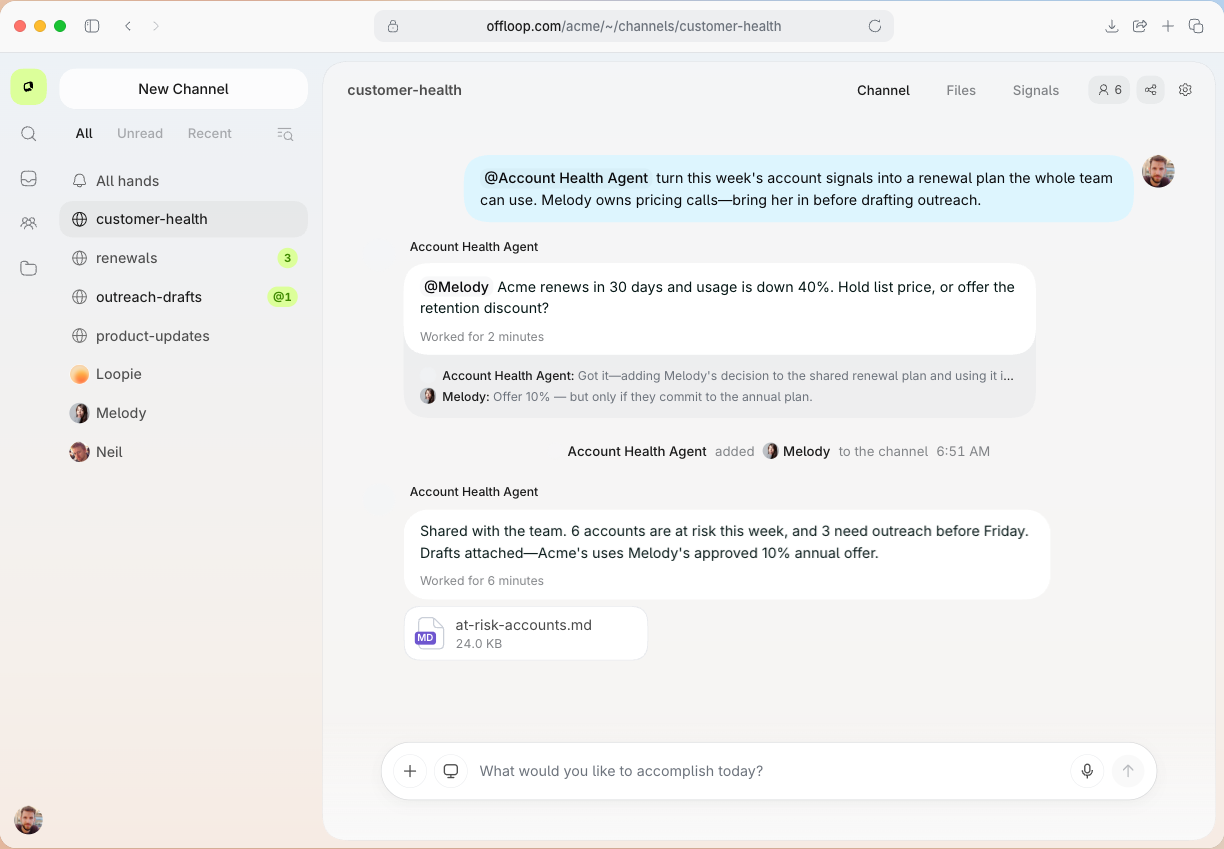
That's why we built Offloop for AI-native teams. Humans and AI agents work in shared channels, where agents can receive tasks in natural language, use connected tools through MCP, and return results in the context of the team's original discussion. Decisions, files, and handoffs stay visible to the people who need them.
Where Offloop Is Better Than Slack
We tested this in our shared-channel demo. Melody agrees to give Acme a 10% discount for annual billing, but not monthly billing. Later, a teammate asks an outreach agent to draft the renewal quote. The agent returns a draft to the channel, and Fred is asked to approve it or send it back for changes.
When someone asks where the discount came from, another agent can point back to Melody's original decision. If Acme switches to monthly billing, the next teammate knows why the discount should disappear. The person reviewing the quote doesn't need a separate handoff call to reconstruct the reasoning.
We've run into this handoff problem repeatedly with conventional team chat. Slack can host bots, and Slackbot can search and act on connected information. But when work is split among individual AI sessions, separate bots, and human conversations, keeping everyone on the same version of the task takes effort. Offloop is designed around that shared work, rather than adding an AI assistant to an otherwise human-only channel.
Where Slack Is Better
Slack is the safer choice if your team mainly needs messaging, established administration, or a wide range of integrations. Its app marketplace contains more than 2,600 options, and many companies already have years of processes built around it.
Offloop's integration ecosystem is smaller. Its Slack connector can send updates and results to Slack, but there is no publicly documented Slack history importer. If agents aren't yet an active part of your team's work, those trade-offs may not be worth making.
Slack alternatives for an existing office suite
If your team already pays for Microsoft 365 or Google Workspace, first check whether the subscription includes the collaboration features you need. If it does, you may be able to avoid a separate chat subscription.

2. Microsoft Teams — Best for Microsoft 365 Users
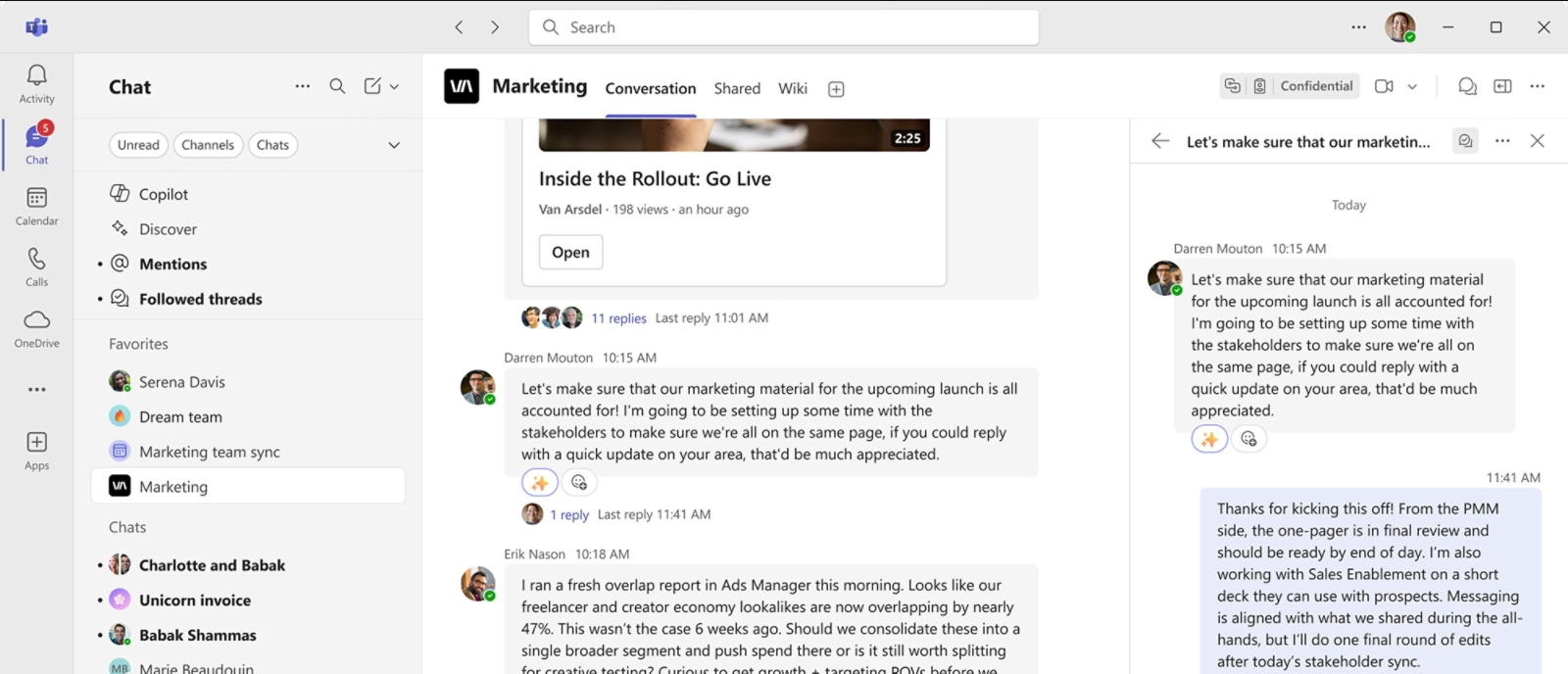
Microsoft Teams is probably the most straightforward Slack alternative for companies already using Microsoft 365.
- Best for
- Organizations using Microsoft 365 that want meetings, files, and team messaging together.
- Price
- Microsoft Teams Essentials starts at $4 per user per month with annual billing. Microsoft Teams Free for personal use supports meetings with up to 100 participants for 60 minutes.
Pros
- Use existing Microsoft accounts, OneDrive, SharePoint and Office files
- your current subscription may already include the Teams services you need
Cons
- The team and channel hierarchy, membership permissions and file management can make small teams spend more time learning and managing the system
- some users also report high desktop resource use
It combines messaging, meetings, calling, and document collaboration. Teams can work alongside Outlook, SharePoint, Word, and Excel without introducing another workplace suite.
Where Microsoft Teams Is Better Than Slack
We compared the two products using a 120-person all-hands meeting as our test case. Slack's 50-person huddle cap immediately ruled it out as the only meeting tool. Teams Essentials and Microsoft 365 Business plans with Teams support up to 300 participants, while E3 and E5 plans with Teams support up to 1,000 interactive participants. For a company that already runs meetings in Microsoft 365, that's a tangible reason to use Teams instead of Slack.
Teams also provides webinars and town halls. After the meeting, people can work on the same Word document or Excel file using their Microsoft 365 accounts. If the company's subscription already includes Teams, keeping chat and meetings there may remove an extra software bill.
This is a stronger reason to choose Teams than any claim that its messages are inherently better than Slack's.
Where Slack Is Better
If your company uses a mix of specialized SaaS products rather than Microsoft 365, Slack's broader integrations may fit better. Slack Connect is also particularly useful for cross-company work, with shared channels supporting up to 250 organizations.
Full Microsoft 365 Copilot functionality costs extra. And while scheduled Teams meetings can be large, calls started directly from a chat are limited to 20 participants. Teams' advantage is the suite and meeting setup, not every form of calling or collaboration.
For a detailed comparison, see our Slack vs Microsoft Teams guide.

3. Google Chat — Best for Google Workspace Teams
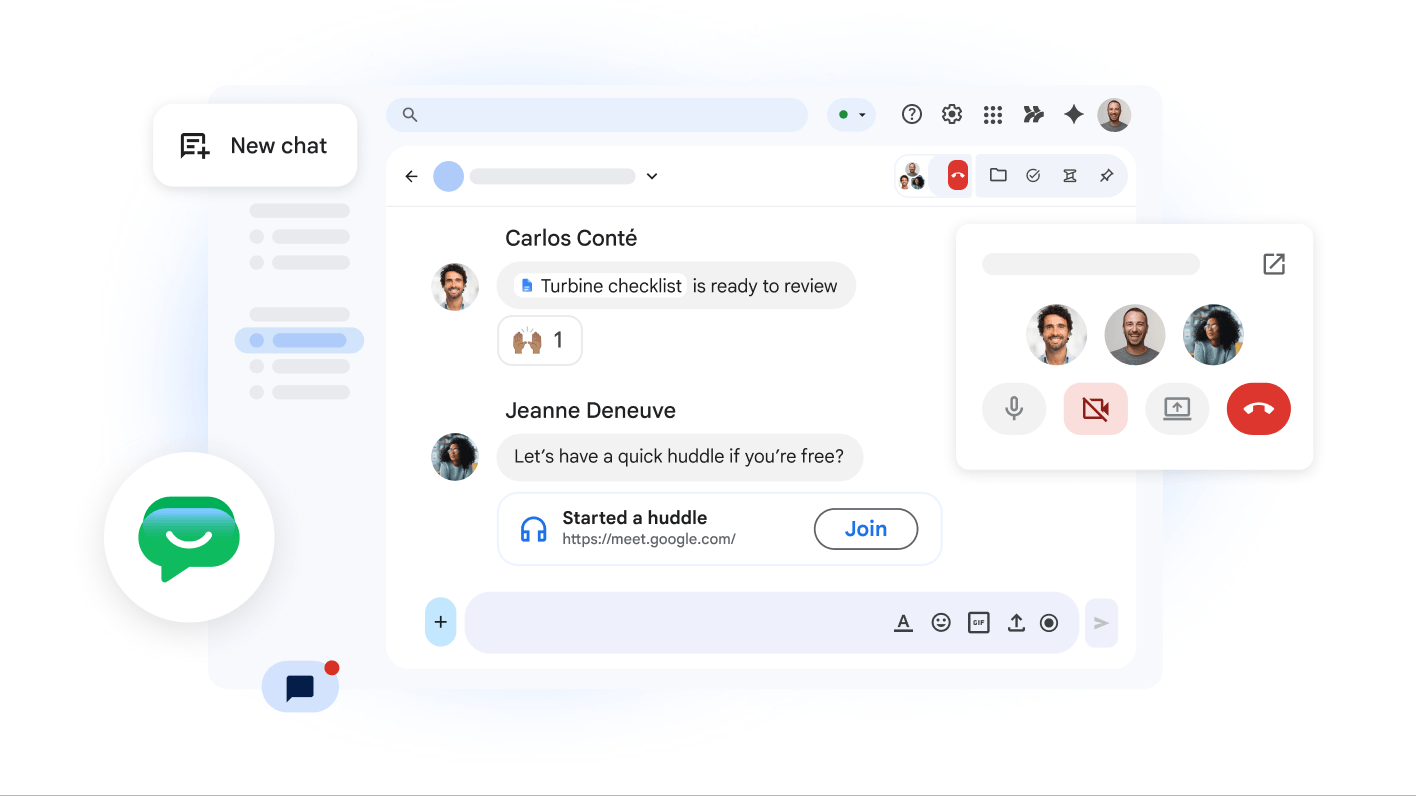
Google Chat is a natural alternative for companies already using Gmail, Google Calendar, Google Drive, and Google Meet.
- Best for
- Teams already using Google Workspace that want to avoid paying for a separate chat application.
- Price
- Included with Google Workspace, starting at $7 per user per month with annual billing. A 14-day trial is available.
Pros
- Use Chat inside Gmail
- public reviews praise its ease of use and integration with Google's work tools
Cons
- Some users find the relationship between main conversations and threads unclear and miss replies within threads
- the API migration does not support direct messages or unnamed groups
Rather than introducing a separate communication platform, Google Chat operates within Google Workspace.
Where Google Chat Is Better Than Slack
We tested a small-agency workflow built around Gmail, Docs, Calendar, and Meet. We discussed changes to a client proposal in Google Chat, opened the shared Doc, and followed up without leaving the same set of Google accounts. What stood out wasn't a better message composer. It was how little extra setup the chat layer needed. If the rest of a team's work already happens in Workspace, paying for Slack as well is harder to justify.
Google Chat is included with Workspace and shares its identity and admin setup. On eligible plans, Gemini can help find and summarize conversations and translate messages. The attraction is less about a superior chat interface than having one fewer independent system to manage.
Where Slack Is Better
A team built around non-Google tools may get less out of Chat. Slack's dedicated messaging product and larger app marketplace give it more flexibility across different software stacks.
Google Chat also isn't sold as a standalone business subscription. Adopting an entire office suite just to replace Slack would rarely make sense.
Slack alternatives for hosting, history and conversation style
These alternatives address different day-to-day needs: who runs the service, whether old conversations remain searchable, how discussions are organized and how people join voice conversations.

4. Discord — Best for Free Voice Chat
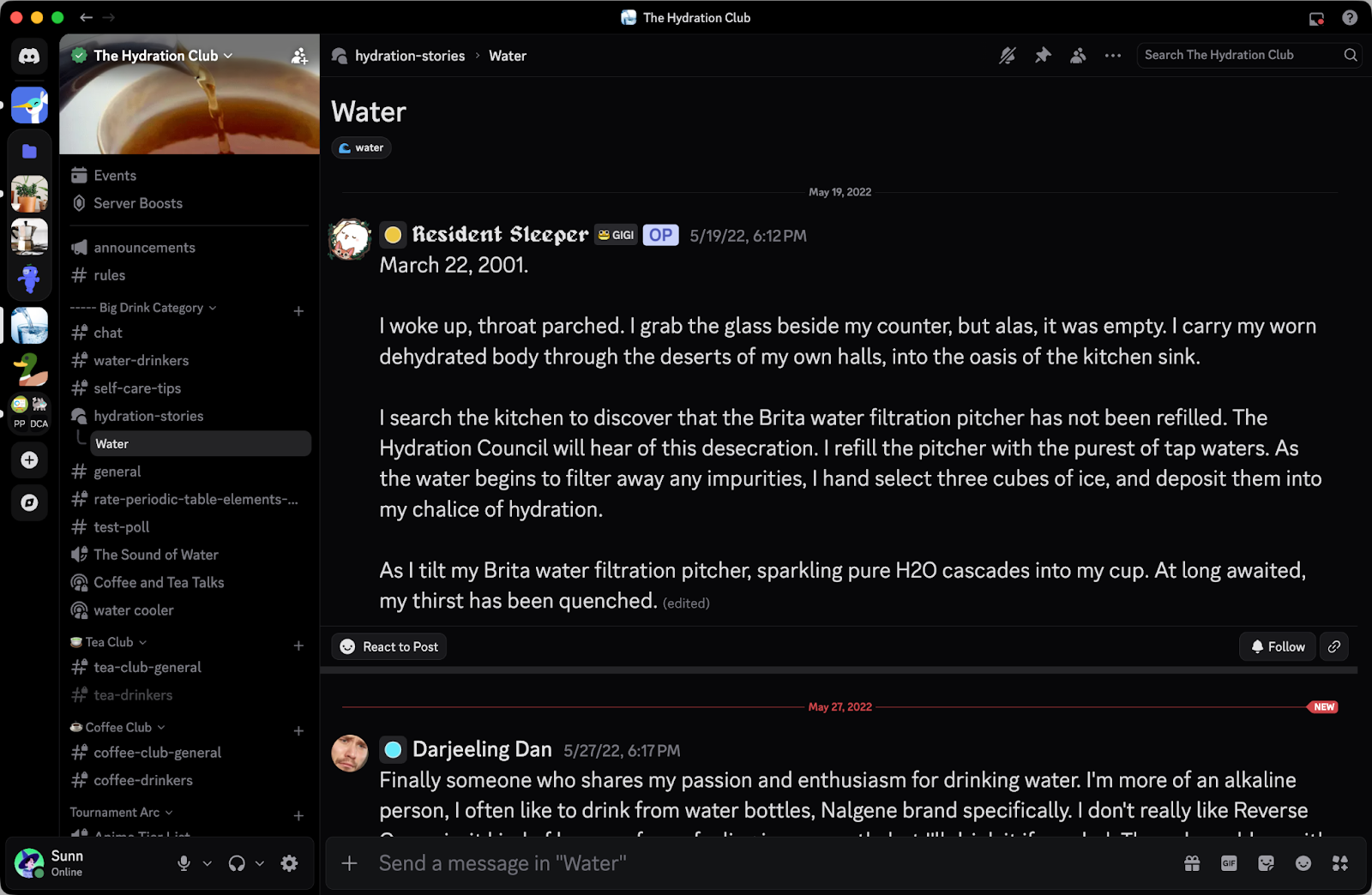
Discord is better known for gaming and online communities, but its voice experience can be useful for informal teams.
- Best for
- Small teams, developer communities, and informal organizations that value free messaging and drop-in voice chat.
- Price
- Free. The optional Nitro Basic plan starts at $2.99 per month in the US.
Pros
- Voice rooms and screen sharing make impromptu conversations easy
- channels, roles and invitations help organize communities
Cons
- Some users find file management and connections to work tools incomplete
- managing notifications across several servers can be cumbersome
- Nitro is not a business seat plan
The biggest difference from Slack is how voice channels work.
Where Discord Is Better Than Slack
We tried Discord as a voice workspace for a small development team, with people moving in and out of the same channel as questions came up. That felt different from repeatedly starting a Slack huddle. The voice room stayed available even when nobody was talking, so joining a conversation didn't require someone to initiate a call.
Slack huddles are started within conversations. Discord's always-available voice channels are better suited to that informal, come-and-go style. Servers, text channels, and voice are free, and the studio could also maintain separate channels for its player community.
Where Slack Is Better
That same studio may eventually need formal user provisioning, retention policies, or other business controls. Discord doesn't offer the depth of administration and compliance available in Slack's paid tiers. Nitro is a personal subscription, not an enterprise collaboration plan.
Discord also lacks Slack's business integration ecosystem and an official Slack importer. It's a good voice-first workspace, but not a universal replacement for company messaging.

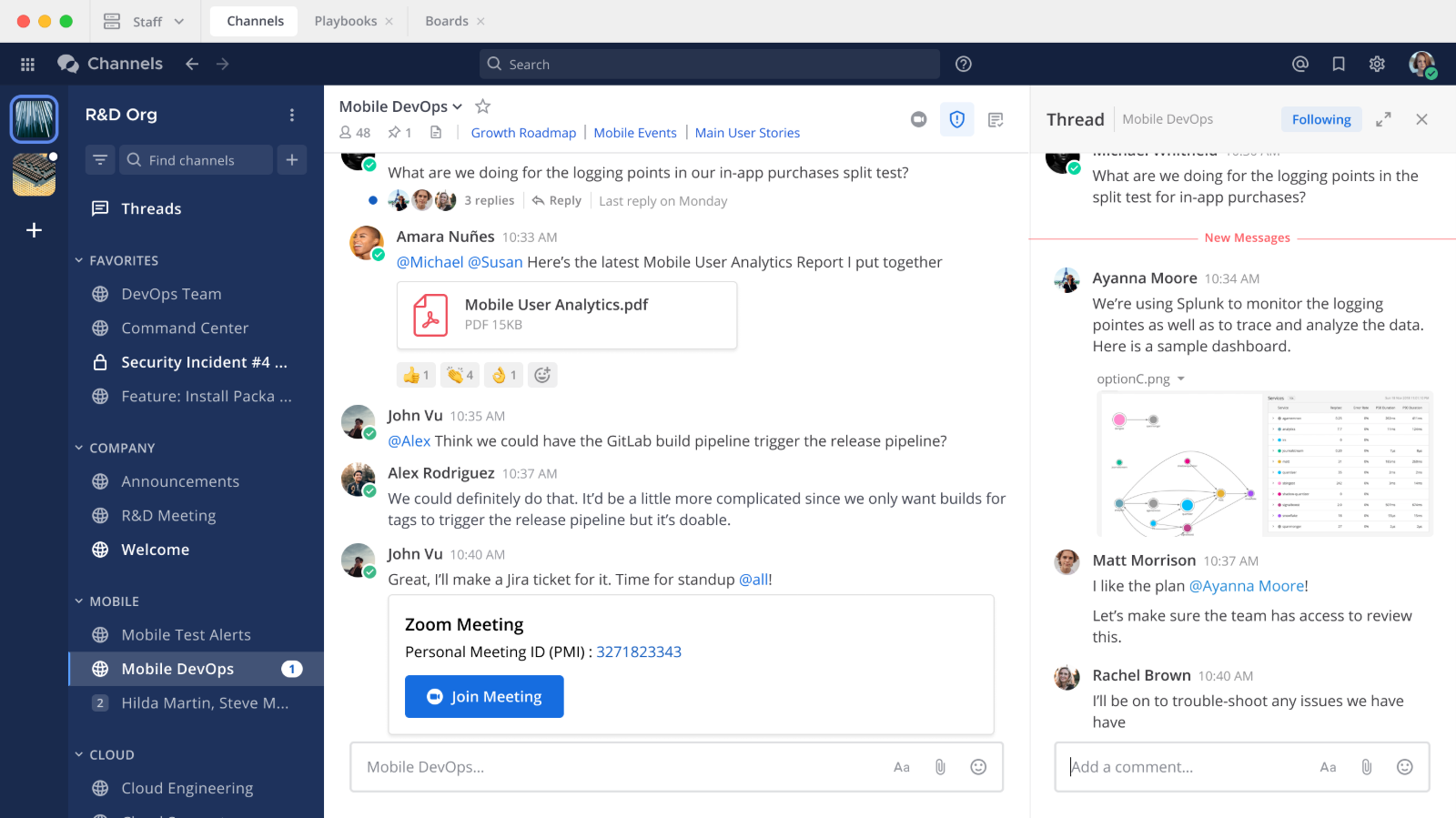
5. Mattermost — Best for Self-Hosting and Data Control
Mattermost is designed for organizations that want to run team messaging on infrastructure they control.
- Best for
- Technical and security-sensitive organizations that need control over collaboration data and AI infrastructure.
- Price
- Free Entry and Team Edition options. Contact Mattermost for paid-plan pricing.
Pros
- Self-hosting
- users value its familiar channel interface and connections to developer tools such as Jira and GitLab
Cons
- Deployment, backups, upgrades and plugins need maintenance
- users also report issues with the mobile experience and notification delays
For these companies, Slack's cloud-hosted model can be a limitation regardless of how good the messaging experience is.
Where Mattermost Is Better Than Slack
We evaluated Mattermost for engineering discussions involving unreleased designs, incident reports, and sensitive internal material. The first question wasn't whether its interface felt nicer than Slack. It was whether the organization could control where chat data lived and how AI models accessed it. With strict hosting requirements, Slack's cloud-only approach can end the comparison before messaging features even come up.
Mattermost can run on infrastructure the organization controls. Its channels, threads, and DMs remain familiar to Slack users, while Mattermost Agents can connect to a language model the organization chooses. With the appropriate self-hosted configuration, summaries and tool interactions can stay within its environment instead of going to an outside model provider.
The gain is control over the system and its data flows, not necessarily a faster chat experience.
Where Slack Is Better
Self-hosting makes that engineering organization responsible for updates, backups, uptime, security, and the cost of running any local model. Slack handles much of that for you. Mattermost also offers managed hosting through Cloud Enterprise.
Mattermost Entry is free for small teams and evaluation, with usage limits; the open-source Team Edition is available too. Paid self-hosted licenses require annual prepayment. Unless infrastructure control is a requirement, those obligations can outweigh the benefit.


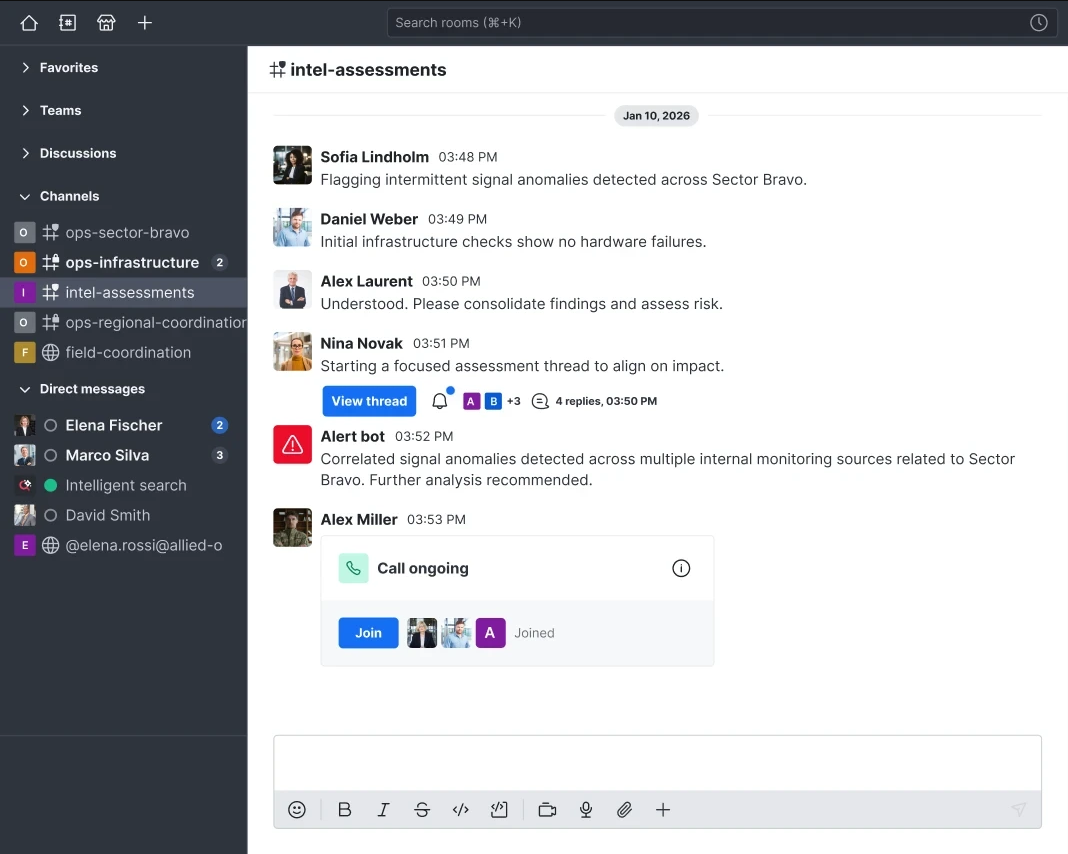
6. Rocket.Chat — Best for Air-Gapped and On-Premise Communication
Rocket.Chat is another self-hosted messaging platform, but it is particularly relevant for organizations with strict network requirements.
- Best for
- Organizations that require on-premise or fully isolated communication systems.
- Price
- Free self-hosted Starter edition for up to 50 users; paid plans require a quote.
Pros
- Control over deployment, customization and connections to other systems
- an official Slack importer
Cons
- Users say initial setup and integration troubleshooting require technical experience
- free Starter excludes air-gapped deployment and provides only community and self-service support
It can run on-premise or in completely isolated networks.
Where Rocket.Chat Is Better Than Slack
We evaluated Rocket.Chat against an air-gapped-network requirement: internal messaging must operate without access to the public internet. Slack cannot meet that deployment requirement, regardless of how much the team likes its interface. Rocket.Chat can, with the relevant paid deployment plan. That made the difference much clearer than comparing their chat features side by side.
Rocket.Chat supports on-premise deployment and, on a paid plan, air-gapped networks. Its Sovereign AI can provide summaries and question answering with a self-hosted model; searching workspace content requires an appropriate retrieval setup.
The free self-hosted Starter edition supports up to 50 users, but it should not be confused with the paid air-gapped deployment offering.
Where Slack Is Better
A typical agency or SaaS startup has no need for an isolated network. For them, Slack's managed hosting, integrations, and simpler setup are meaningful advantages.
Rocket.Chat's paid prices require a sales conversation, Sovereign AI is an add-on, and the free edition relies on community support. Unless there's a real network or hosting requirement, self-managing chat can be unnecessary work.

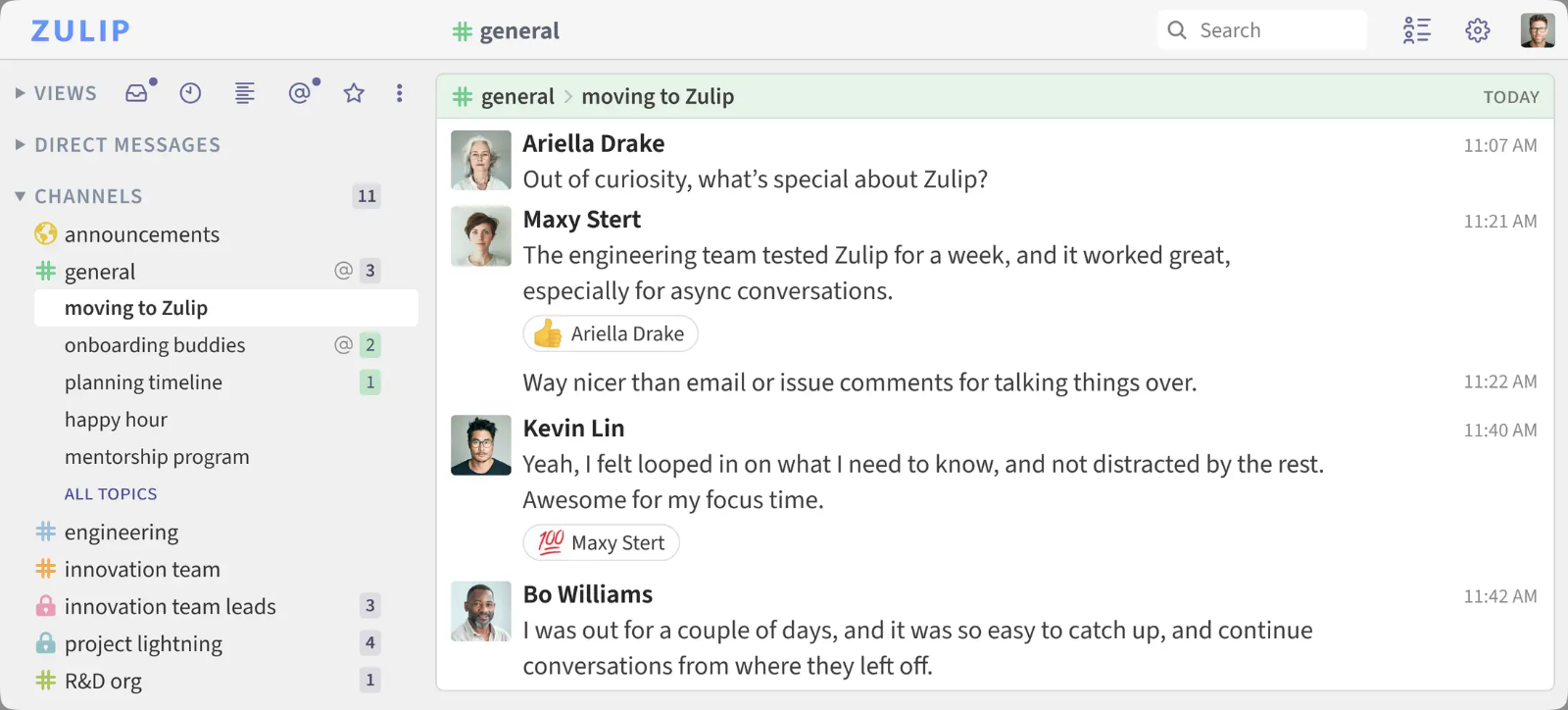
7. Zulip — Best for Asynchronous Communication
Slack works well for active conversations, but busy channels can become difficult to follow when several subjects are discussed simultaneously.
- Best for
- Distributed and asynchronous teams that need organized discussions rather than continuous chat.
- Price
- Free cloud and self-hosted options. Cloud Standard costs $6.67 per user per month with annual billing. Self-hosted Basic costs $3.50 per user per month, billed monthly.
Pros
- Topics keep parallel discussions organized, making them easier to read together and return to later
- members can follow and filter specific topics
Cons
- New members need to learn the topic model
- some users find the interface and mobile app awkward to use
- free Cloud search covers only 10,000 messages
Zulip solves this problem with a different conversation structure.
Where Zulip Is Better Than Slack
We tested Zulip with three parallel engineering discussions: a release delay, a database migration, and an API incident. Then we tried catching up on just the migration discussion as someone coming online in another time zone. In Zulip, we could open that topic, follow it from start to finish, and leave the incident updates for later. Channels can also allow a default General chat topic when a conversation doesn't need that structure.
Slack threads can achieve some of this, but Zulip makes topics the normal unit of discussion. That's especially useful when people aren't online at the same time.
Where Slack Is Better
In a small team where conversation is mostly quick questions and replies, Slack's looser structure may feel easier. Zulip asks people to adapt to topics, and its integration ecosystem is smaller.
The free Zulip cloud plan limits searchable history to 10,000 messages and storage to 5 GB. The free self-hosted edition includes all core chat features, though mobile push notifications are limited to 10 users for most organizations on that plan.

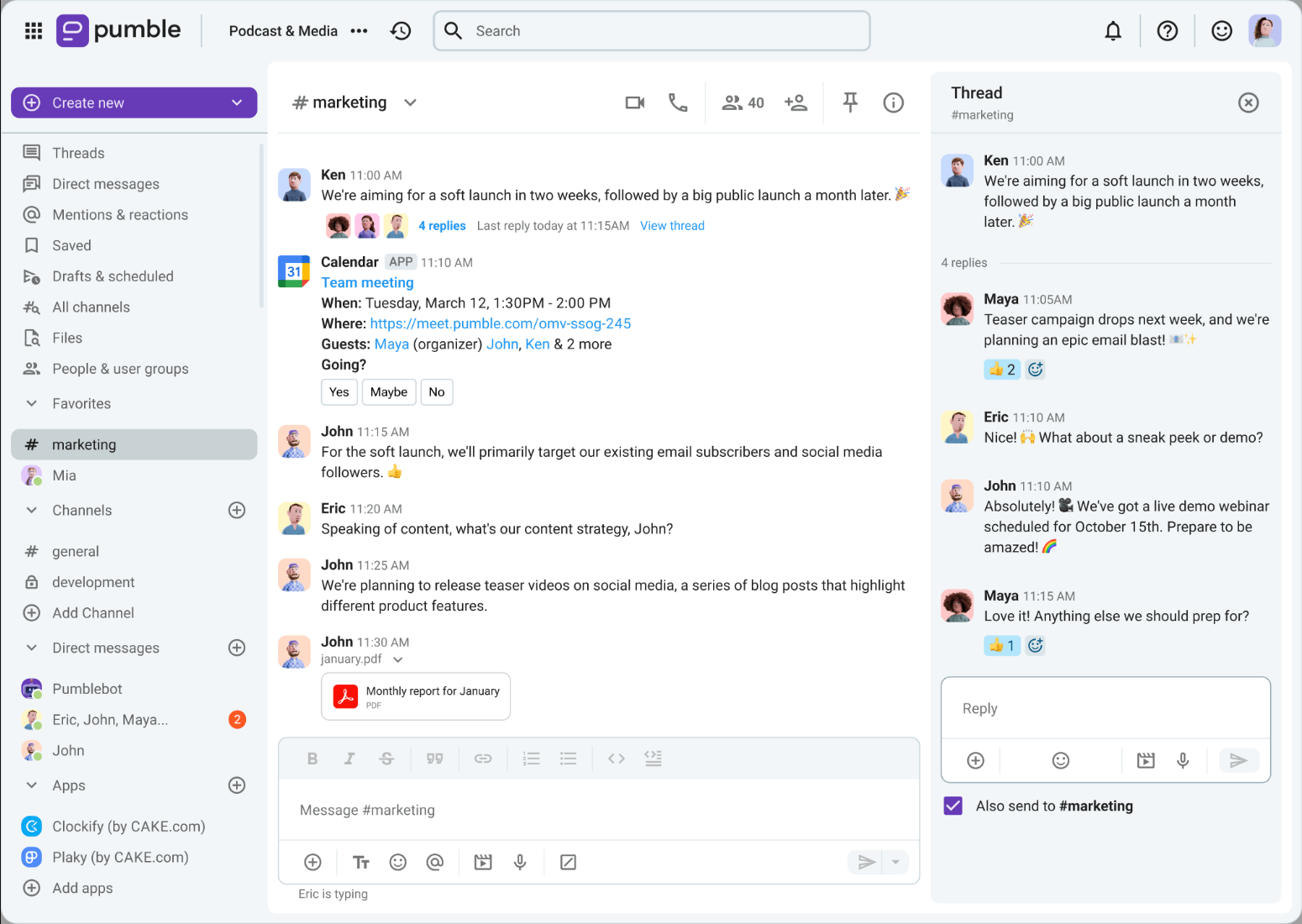
8. Pumble — Best Free Slack Alternative
Pumble is one of the closest alternatives to Slack's familiar messaging experience, especially for teams frustrated by Slack's free-plan restrictions.
- Best for
- Budget-conscious teams that want Slack-style messaging without paying to retain message history.
- Price
- Free plan available. Pro starts at $2.49 per user per month with annual billing, or $2.99 with monthly billing.
Pros
- Unlimited searchable history on the free plan
- users find channels and direct messages easy to learn
- Slack import is also available for free
Cons
- Fewer third-party integrations and reports of occasional mobile slowdowns
- free meetings are one-to-one only, and the importer does not copy files
It provides channels, direct messages, and threads without radically changing how people communicate.
Where Pumble Is Better Than Slack
We compared the free plans using a common retrieval task: find the conversation where the team rejected a vendor six months earlier. Slack Free no longer shows messages that old; Pumble Free keeps the full history searchable. The difference matters when a decision was made in chat and never copied into a separate document.
Pumble also allows unlimited users on its free plan, and its familiar channels, DMs, and threads reduce the adjustment for teams leaving Slack. Paid Pro starts at $2.49 per user per month with annual billing, compared with $7.25 for Slack Pro.
If all you need is dependable team messaging and old decisions you can still find, that can be enough reason to switch.
Where Slack Is Better
The trade-off shows up if that small company later wants many software integrations or regular group calls. Pumble's free plan allows only three external app integrations (plus native Clockify and Plaky), versus 10 apps on Slack Free. It includes 10 GB of workspace storage, and free voice and video meetings are one-to-one.
Slack's paid tiers offer more mature integrations and administrative controls. Pumble is strongest when cost and message history matter more than those extras.

9. Chanty — Best for Chat and Task Management
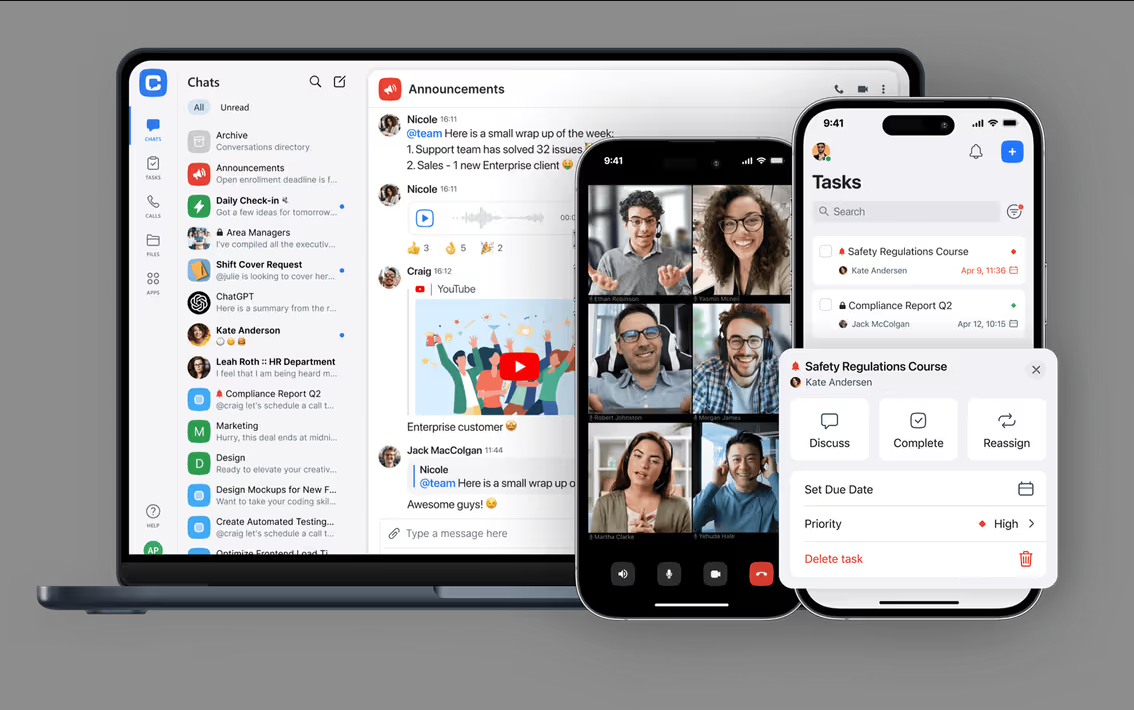
Chanty is a simple team messaging app with task management built in.
- Best for
- Small teams that want affordable messaging with simple task tracking.
- Price
- Free for up to five members; Business from $3 per user per month with annual billing.
Pros
- Turn messages directly into assigned tasks
- users value the simple interface and quick setup
- message history is searchable on the free plan
Cons
- Users want more integrations and advanced task features
- the free plan is limited to five people, while import, export and task boards require Business
This is useful for small teams that want to manage everyday work without maintaining separate communication and project management tools.
Where Chanty Is Better Than Slack
We tested Chanty with the kind of small requests a design team handles every day: updating a landing page, fixing a broken link, and sending a revised banner. We could turn a message directly into an assigned task instead of copying it into another app or leaving it in yesterday's chat history. For a five-person team, that simplicity is the attraction.
Message-to-task conversion is available on Chanty's free plan. Teambook organizes shared work, while the Business plan adds to-do lists and task boards. Slack also has built-in task tracking through Lists, but on paid plans.
Chanty's Business plan starts at $3 per user per month with annual billing, and its free plan includes unlimited searchable history for up to five members. For a small team that wants lightweight tasks rather than a full project management system, that's a practical combination.
Where Slack Is Better
That agency may outgrow Chanty's free five-member limit. SAML SSO, SCIM, and data residency require Enterprise, and Slack has more integrations and advanced administration.
If the team already manages every task in Linear, Asana, or another dedicated tracker, turning chat into a second task list may create more duplication, not less.
Which Slack Alternative Is Right for Your Team?
There's no need to switch just because another app has a longer feature list. Choose based on the problem your team actually notices during a normal workweek.
If you're paying mostly to keep message history, look at Pumble or Chanty. If most work already happens in Microsoft 365 or Google Workspace, using their included chat may be simpler. Zulip suits teams repeatedly catching up across time zones; Discord makes sense for informal, always-available voice.
For strict hosting requirements, compare Mattermost and Rocket.Chat. For AI-native teams that regularly hand tasks between people and agents, consider Offloop.
Slack still has the advantage when established integrations, Slack Connect, and mature administration matter most. The useful comparison is what improves in your team's actual work—and what you'd give up to get it.
Frequently Asked Questions
Answers about free plans, simpler team chat, notifications and moving your Slack history.
What counts as a Slack alternative?
A Slack alternative can handle everyday team messaging, including group conversations and direct messages. That includes standalone chat apps and messaging built into suites such as Microsoft 365 and Google Workspace.
Why look for a Slack alternative?
Switching can make sense if your team needs to search older messages without upgrading the whole workspace, hold meetings larger than a Slack huddle, or keep chat data on its own servers. Check that the new tool also supports the integrations and external collaboration your team relies on.
How did we choose these nine Slack alternatives?
We looked for a concrete reason to switch, compared the tools in everyday work scenarios, and checked pricing, plan limits, and migration support against official documentation.
What is the best free Slack alternative?
Pumble is a strong choice if you want unlimited users and message history without paying. Discord is another free option, particularly for voice chat and community-oriented teams. Zulip, Rocket.Chat, and Chanty also provide free plans, with different limits on users, storage, and deployment.
What is the cheapest Slack alternative?
Among paid plans with published prices in this comparison, Pumble Pro starts at $2.49 per user per month with annual billing. Chanty Business starts at $3, Microsoft Teams Essentials at $4, and Zulip Cloud Standard at $6.67. For comparison, Slack Pro starts at $7.25 per user per month with annual billing.
Which Slack alternative is best for AI agents?
Offloop is designed for AI-native teams, with humans and AI agents sharing channels, context, and work. Mattermost is another option for teams that want self-hosted AI agents and control over their language models. If you mainly need AI summaries or search rather than agents completing tasks, Slack, Microsoft Teams, and Google Chat also provide AI capabilities within their existing collaboration platforms.
Is Microsoft Teams better than Slack?
Microsoft Teams is often a better choice for companies already using Microsoft 365 or needing larger meetings. Slack offers a larger integration ecosystem and extensive external collaboration features through Slack Connect.
What is the best self-hosted Slack alternative?
Mattermost is a strong option for technical teams that want control over their messaging and AI infrastructure. Rocket.Chat is particularly suitable for organizations that require on-premise or fully isolated deployments. Air-gapped deployment requires a paid plan. Zulip also supports self-hosting and is worth considering if asynchronous communication is a priority.
Can I move my Slack messages to another platform?
Several alternatives provide Slack migration options, including Microsoft Teams, Google Chat, Mattermost, Rocket.Chat, Zulip, Pumble, and Chanty. Their import capabilities vary. For example, Microsoft Teams' official migration tool does not transfer direct messages, while Pumble does not import Slack files. There is no publicly documented Slack history importer for Discord or Offloop. Slack can export public-channel messages and file links by default. To export private channels and DMs, workspace or organization owners need an eligible plan and must apply for access.
What is the best Slack alternative?
For small teams that want people and AI to work together, we particularly recommend Offloop. Pumble is our first choice for lower chat costs and complete history. For longer discussions across time zones, focus on Zulip. If your team already uses a Microsoft or Google office suite, look first at Teams or Google Chat.
Which option should I try for simpler team chat?
Start with Pumble if you want familiar channels, direct messages and threads at a lower cost. Very small teams that also want to record tasks can look at Chanty. If the main problem is several discussions getting mixed together in one channel, Zulip is worth trying, although the team needs to learn to reply by topic.
Do I need to switch tools just to reduce notifications?
Start by adjusting channel notifications and response expectations. Agree which messages need immediate attention and which can be checked together later. If ongoing discussions remain hard to follow, try Zulip's topic organization. Change the habits causing interruptions as you change tools, or new channels and unread alerts can bring back the same burden.
Can we switch if some of our Slack history cannot be migrated?
Yes. Move projects in batches and run both tools during the transition. Projects that have switched continue in the new tool, while the others stay in Slack. Before moving each project, find out which messages and files cannot be imported and how long the originals will remain accessible. Carry over the decisions, open tasks and files the team still uses. Archive records you only need for reference while you still have permission to access and export them.
When is a self-hosted Slack alternative worth it?
Look at your data security and customization requirements. Self-hosting is worth considering if your company needs to control where chat data and backups are stored and who can access them, or if you need to change how permissions work or connect an internal system the hosted version cannot support. Check that the edition you choose allows those changes, and factor in security updates, disaster recovery and upgrades.
References
- Slack user feedback on notifications and search — www.g2.com
- Slack user feedback on pricing — www.trustpilot.com
- About Offloop — offloop.org
- Pricing and access — offloop.org
- Teams user feedback on file collaboration — www.g2.com
- Teams and channels — learn.microsoft.com
- How Teams stores files — support.microsoft.com
- Teams business plans — www.microsoft.com
- Slack-to-Teams migration documentation — learn.microsoft.com
- Google Chat user reviews — www.gartner.com
- Google Chat threads and notifications — support.google.com
- Using Chat in Gmail — support.google.com
- Workspace pricing — workspace.google.com
- Google Chat import documentation — knowledge.workspace.google.com
- Mattermost user reviews — www.g2.com
- Mattermost plans — mattermost.com
- Mattermost's Slack migration guide — docs.mattermost.com
- Rocket.Chat user reviews — www.g2.com
- Rocket.Chat Starter — www.rocket.chat
- commercial plans — www.rocket.chat
- Rocket.Chat import guide — docs.rocket.chat
- How topics work — zulip.com
- following topics — zulip.com
- Zulip user reviews — www.g2.com
- Zulip plans — zulip.com
- Zulip's Slack import guide — zulip.com
- Pumble user reviews — www.g2.com
- Pumble pricing — pumble.com
- Pumble's Slack import guide — pumble.com
- Chanty user reviews — www.g2.com
- Chanty plans — www.chanty.com
- Slack Lists — slack.com
- Discord user reviews — www.trustradius.com
- how voice channels work — support.discord.com
- Discord Nitro — discord.com
- Slack's advice on focus and organizing conversations — slack.com
- Slack pricing — slack.com
- Slack Free limitations — slack.com
- Slack export options — slack.com